AIDetector
Detect AI content quickly with AIDetector. Ensure originality, avoid plagiarism, and enhance quality. Free, easy, and powerful.

English
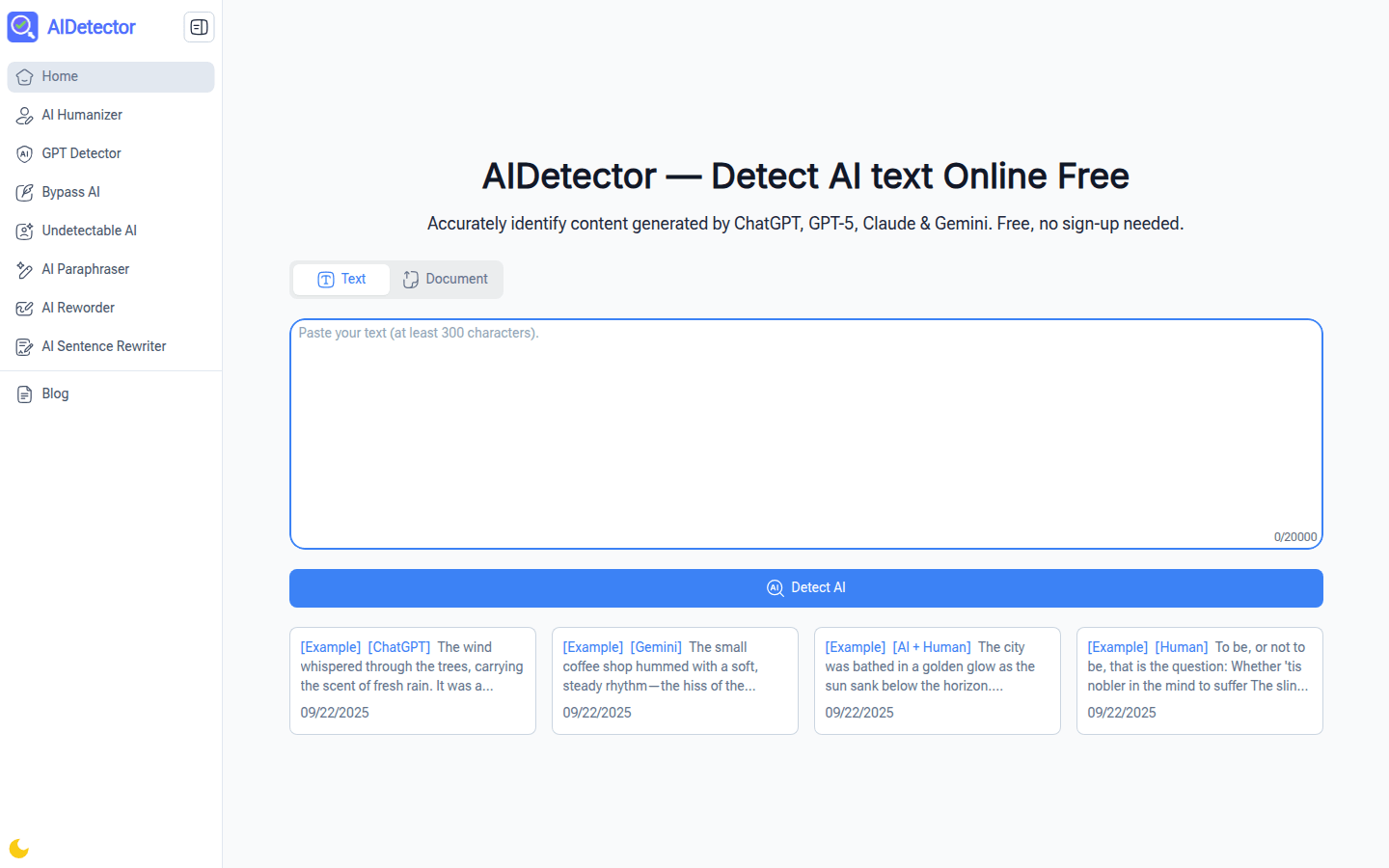
AIDetector is a free online AI detection tool that can identify text generated by models such as GPT-5, ChatGPT, Claude, Gemini, etc. Its importance is to help users ensure the originality of content, avoid academic misconduct and maintain content quality. The main advantages include fast detection speed, which can complete the detection of files and texts within seconds; providing clear detection reports, clearly marking the AI part and simply explaining the details; the built-in AI Humanizer can perform one-click humanized rewriting of the marked AI content; supports multiple file formats, and can detect without converting files; no registration is required, it is simple and convenient to use and has no usage restrictions. This product is aimed at students, researchers, content creators, freelancers, editors, business professionals, marketers and SEO experts, etc., aiming to provide them with convenient and efficient AI content detection services to ensure the originality and high quality of their work.
Demand group:
["Students and researchers: When writing papers, students and researchers can paste their drafts into AIDetector to quickly identify AI-generated parts, avoid academic misconduct, and ensure that the submitted paper content is 100% original.", "Content creators: Content creators can upload articles or video scripts to AIDetector , and the tool will mark the AI text, helping them maintain the unique style of the content and maintain readers' trust in it.", "Freelancers and writers: Freelancers and writers can use AIDetector to check the AI content in client drafts before submitting them to clients to meet client requirements for original works and improve client satisfaction.", "Editors: Editors can upload received submissions (such as PDF, Word files) to AIDetector , which can quickly scan the AI text in them, reduce review time, and ensure that the published content is of high quality and written by humans.", "Business professionals: Business professionals can use AIDetector to check the team's reports or proposals to find out the AI part of them, ensuring that the work can demonstrate the team's true professional capabilities and impress clients or stakeholders.", "Marketers and SEO experts: Marketers and SEO experts can use AIDetector to check blog or advertising content and remove the AI text to make the content more attractive and improve search engine rankings."]
Example of usage scenario:
Each time the student LT pastes the draft of his research paper into AIDetector , the tool can quickly identify the AI part, helping him avoid academic misconduct and submit a completely original paper.
Content creator MK uploads the article draft to AIDetector , and the tool marks the AI text, allowing him to maintain the unique style of writing and win the trust of readers.
Freelancer JR uses AIDetector to check AI content before sending drafts to clients, meeting client demands for original works and improving client satisfaction.
Product features:
Fast detection speed: AIDetector can detect files and texts in just a few seconds. Whether it is a PDF, Word document or directly input text, it can quickly obtain AI content detection results, greatly saving users' time and eliminating the need for users to wait for a long time.
Clear detection report: The report generated by this tool can clearly mark the parts generated by AI and provide a simple and easy-to-understand explanation of the relevant details. It also allows users to choose to share or download the report to facilitate further use and analysis of the results.
Built-in AI Humanizer: Users can click on the AI Humanizer function built into AIDetector to humanize the marked AI content with one click, making the content more consistent with human writing style while maintaining the original meaning of the work.
Supports multiple file formats: AIDetector supports users to directly input text, and can also upload PDF, Word, PPT and other files for detection. There is no need to convert the files before detection, which provides users with great convenience.
No registration required: Users can use AIDetector directly without registering or sharing personal information. The operation is simple and convenient, saving users time and energy.
Free and no usage restrictions: AIDetector is completely free. Users can use the tool to detect any number of files every day. There are no hidden usage restrictions, so users can use it with confidence.
Usage tutorial:
Step 1: Upload or paste content. Users can paste content into AIDetector or upload files (supports PDF, PPT, Word, and TXT formats, up to 40MB). The AI Humanizer feature also works on long drafts.
Step 2: Click the Detect button. Find the "Detect AI" button below the AIDetector input area and click it to start detection without paying a fee or registering.
Step 3: View or download the report. After waiting for a few seconds, you can view the AI mark part, or click the "Download" button to save the complete detection report.













