CreatOK.ai
A powerful AI video tool for creators, marketers, and businesses. Generate high-quality, watermark-free videos quickly and easily. Perfect for social media, e-commerce, and creative projects. Start now!

English
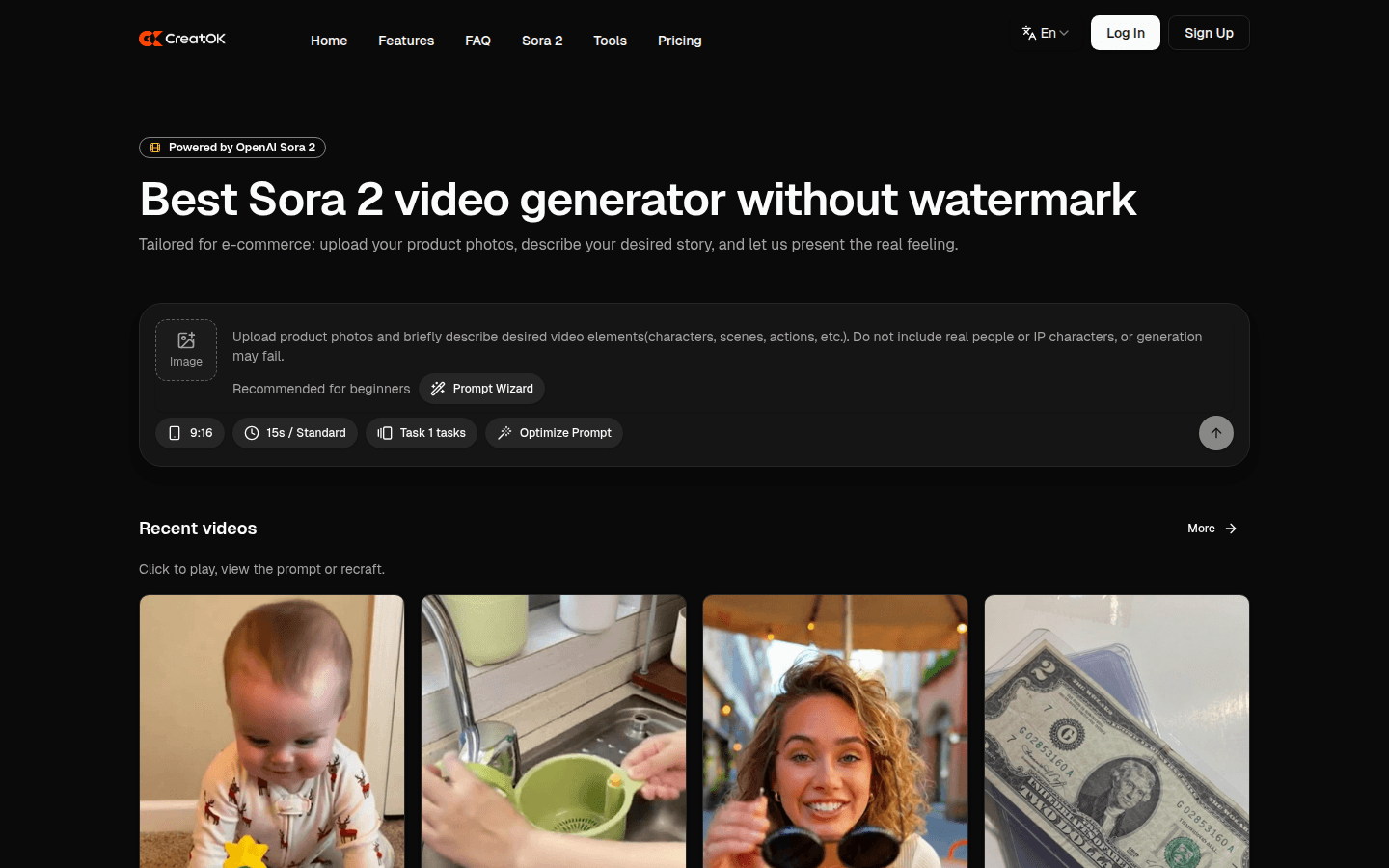
CreatOK is an innovative technology product created by Echosell Corporation Pte Ltd, a Singaporean SaaS company, focusing on the research and development and application of AI intelligent technology. It is based on OpenAI Sora 2 and transforms Sora 2's powerful AI video generation capabilities into a stable and reliable production process. The product is positioned to provide users with convenient and efficient AI video generation services, empowering thousands of industries and reshaping user experience. In terms of price, free rendering quotas are provided, and there are also daily unlimited package plans. Its main advantages include no watermark, no invitation code required, reproducibility of popular products, unlimited generation times, and optional videos of different lengths.
Demand group:
["Social media operators: For social media operators, it is necessary to quickly create accounts and track popular videos to capture traffic. CreatOK's popular copy function can copy popular videos with one click, quickly produce content that conforms to current trends, and attract more fans.", "E-commerce practitioners: E-commerce practitioners need a large amount of high-conversion material to promote product sales. CreatOK can customize product scenarios and selling points, and batch generate product videos to effectively increase the conversion rate and sales of products.", "Creative workers: Creative workers need to quickly verify concepts and communicate ideas in the early storyboarding stage. CreatOK can quickly generate videos, replace expensive animation and shooting costs, and help creative workers realize their ideas efficiently."]
Example of usage scenario:
Quickly start social media accounts: Social media operators use CreatOK’s popular copy function to quickly produce content similar to popular videos, attracting the attention of a large number of fans and achieving rapid account growth.
E-commerce product delivery conversion: E-commerce practitioners upload product images, describe product information and video elements, and use CreatOK to generate high-conversion product delivery videos, which increases product sales.
Early storyboarding: Creative workers use CreatOK to quickly generate videos in the early stages of a project to verify concepts and communicate ideas, saving a lot of time and costs.
Product features:
Watermark-free video generation: CreatOK generates videos without watermarks. Users can download and use these videos freely without worrying about copyright and usage restrictions, which greatly improves the usability and dissemination of videos.
No invitation code required: Users can directly use the Sora model to generate videos without the Sora App invitation code, which lowers the threshold for use and allows more users to easily experience the advanced AI video generation technology.
Replica of popular videos: It supports the replica of popular videos. Users only need to upload any short video material, and CreatOK can reverse the prompt words and create new videos of the same style, helping users quickly keep up with popular trends and capture traffic.
Unlimited generation times: Provides an unlimited daily package plan, which is not subject to Sora App's daily generation limit of 30 times, to meet users' large and frequent video generation needs.
Optional video duration: Users can use Sora or Sora Pro models to generate videos up to 15 seconds or 25 seconds respectively to adapt to the video duration requirements of different scenarios and needs.
Prompt word polishing function: Provides a prompt word wizard for novices, and also has a prompt word polishing function to help users optimize the prompt words to generate videos that are more in line with expectations.
Automatic content matching: It can automatically match storyboards, music, sound effects and dialogue with video content, saving users a lot of post-production time and energy, and improving the efficiency and quality of video production.
Usage tutorial:
1. Visit the website: Open the browser and enter the URL https://CreatOK.ai to enter the official website of CreatOK.
2. Register and log in: If you are a new user, click the registration button and follow the prompts to complete the registration process; if you are an old user, log in to your account directly.
3. Upload materials: In the website interface, find the entrance to upload product pictures or short video materials, and upload the required pictures or video materials.
4. Description content: Describe in detail the video content you want to express, including product information, characters, scenes, actions and other elements. If you are a novice, it is recommended to use the prompt word wizard.
5. Select the model and duration: Select the Sora or Sora Pro model according to your needs, and determine the duration of the video you want to generate.
6. Generate video: Click the Generate button and wait for system processing to generate the required video.
7. View and download: After the generation is completed, view the generated video on the website. You can click to play, view prompt words, or make the same video. After confirming that it is correct, click the download button to save the watermark-free video locally.













