Feen AI
Feen AI: All-in-One AI Tool for Students, Teachers, and Researchers. Solve problems, summarize PDFs, write papers, and more. Boost your learning and productivity.

English
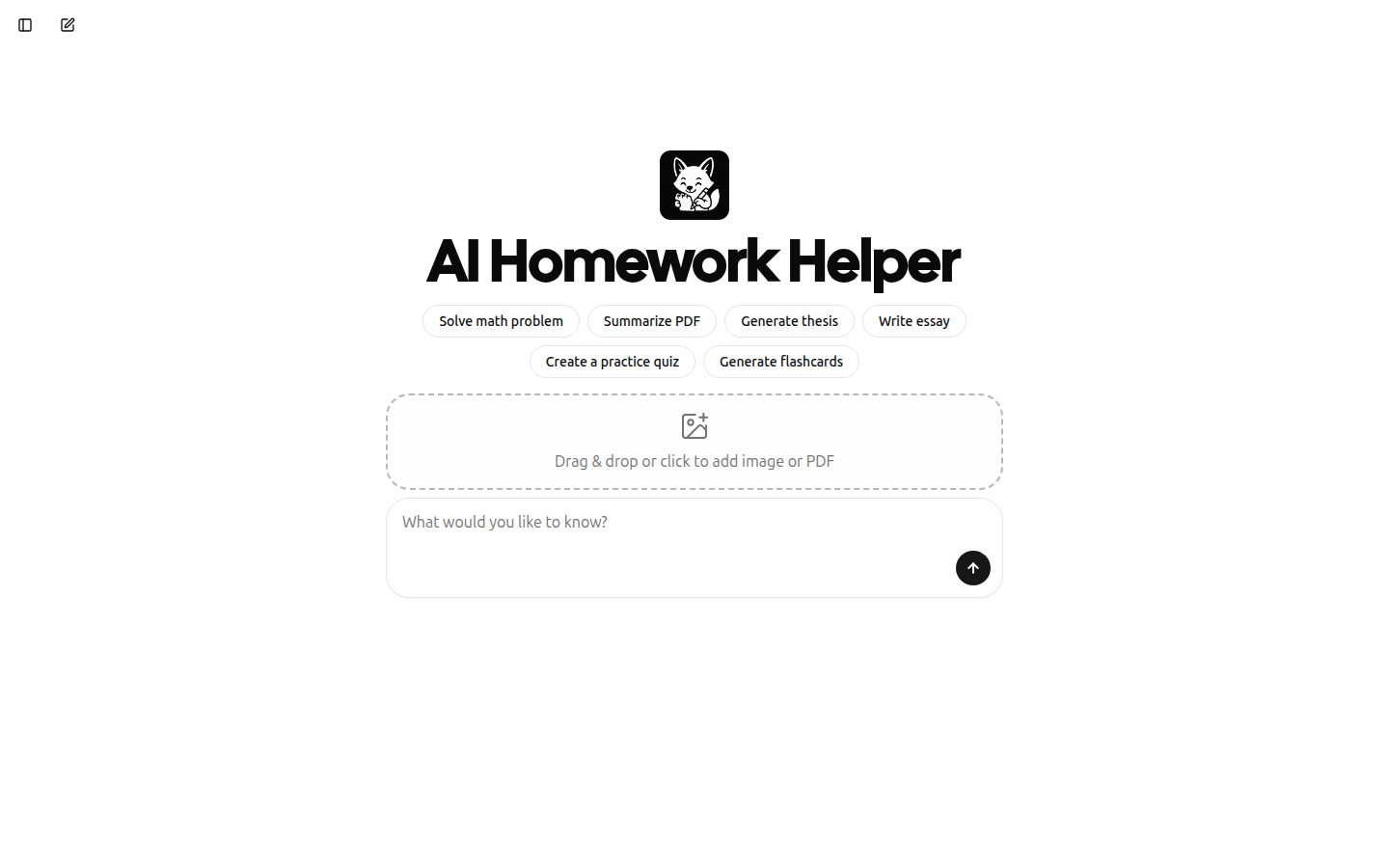
Feen AI is an AI tool focused on the field of education. It can help users in multiple disciplines and solve problems in mathematics, statistics, calculus and other disciplines. Its importance is that it greatly improves students' efficiency in solving homework problems and saves time. The main advantages of the product include comprehensive functions, covering many aspects from subject question answering to document processing; it is easy to use and supports dragging or clicking to add images and PDF files. No background information has been mentioned yet, and no price information has been given. The product is positioned as an intelligent homework assistant for students to help them better complete their studies.
Demand group:
["Student group: Students will encounter homework problems in various subjects during the learning process. Feen AI can provide them with detailed answers and ideas to help them better understand knowledge points and improve their academic performance. At the same time, the functions of summarizing PDF and writing papers can also reduce their learning burden.", "Teacher group: Teachers may need to process a large number of documents and materials during lesson preparation and teaching. Feen AI 's summary and generation functions can help them quickly organize materials and improve lesson preparation efficiency. In addition, the function of creating practice tests can also help teachers better test students' learning results. ", "Researchers: When conducting academic research, researchers need to read a large amount of literature and write papers. Feen AI 's summary and writing functions can help them save time and energy and improve research efficiency. "]
Example of usage scenario:
When students encounter problems when doing math homework, they can use Feen AI to input questions, get detailed answers and problem-solving ideas, and successfully complete the homework.
During the course preparation process, teachers need to summarize a long teaching material. They can use Feen AI to quickly obtain the core points of the material and improve the efficiency of lesson preparation.
When researchers encounter writing bottlenecks when writing academic papers, they use Feen AI to generate paper outlines and partial content to provide direction and support for paper writing.
Product features:
Solve multi-disciplinary homework problems: It can provide detailed and accurate answers to homework problems in many school subjects such as mathematics, statistics, calculus, physics, chemistry, biology, etc. to help students overcome learning difficulties.
Summarize long PDF documents: You can refine and summarize the content of lengthy PDF files, extract key information, help users quickly grasp the core points of the document, and save reading time.
Write various papers: Generate high-quality papers based on user needs, including paper structure construction, content filling, etc., to provide writing support for students and researchers.
Create practice tests: Generate targeted practice tests for users to help them test their learning results and discover weak links in knowledge, so that they can review and improve in a targeted manner.
Generate flashcards: Create flashcards that are helpful for memory. They contain important knowledge points and concepts, making it easier for users to learn and memorize anytime and anywhere, and improve learning efficiency.
Processing images and PDF files: Supports adding images or PDF documents by dragging or clicking, and selecting files by taking photos, providing users with diverse file input methods.
Usage tutorial:
1. Open Feen AI ’s official website https://feen.ai.
2. If you need to log in to your account, click "Sign In" to log in; if you do not need to log in, you can use some functions directly.
3. Choose the corresponding functions according to your own needs, such as solving math problems, summarizing PDFs, writing papers, etc.
4. If you choose to solve subject problems, enter the problem content in the corresponding input box; if you choose to process files, you can add pictures or PDF files by dragging and clicking, or click to take a photo to select the file.
5. Wait for Feen AI to process and output the results, view and use them based on the results.
6. If you are not satisfied with the results, you can re-enter the question or adjust the input content to get the results again.