Floyo
Floyo: browser-based image generation with zero setup, free and fast.

English
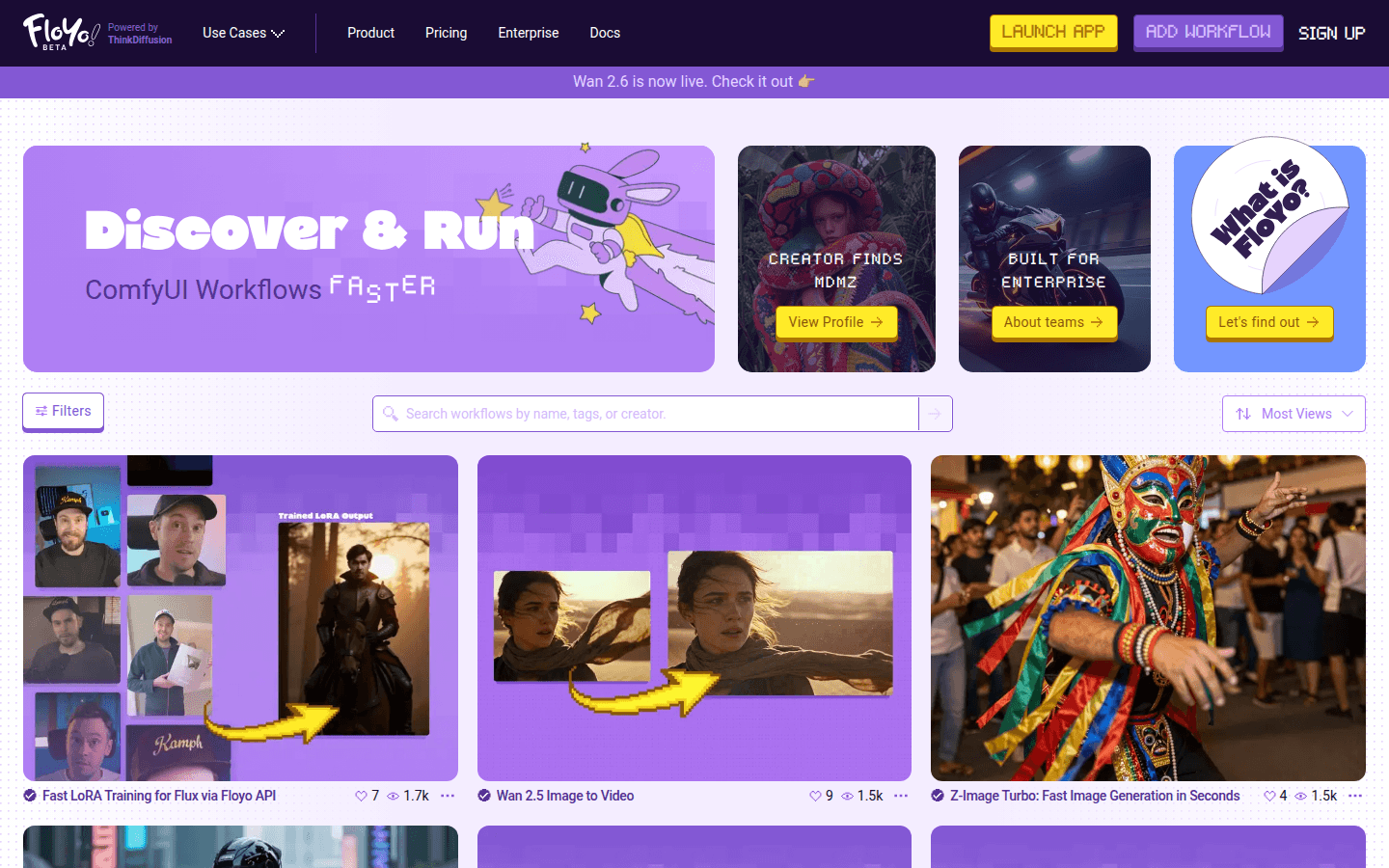
Floyo is a product that brings ComfyUI functionality to the browser. ComfyUI is a powerful open source image generation workflow tool, and Floyo allows users to use its functionality in the browser without complex setup. Its main advantages include zero setup, so users do not need to carry out tedious installation and configuration; it can find and start open source workflows in seconds, saving time; it supports free construction, providing users with cost-effectiveness; and it gives users unlimited creative freedom. The product is positioned to provide convenient and efficient image generation solutions for users in the field of image generation. In terms of price, it is currently free to use.
Demand group:
["Image designers: The unlimited creative freedom and rich open source workflow provided by Floyo can help designers quickly realize various creative ideas and improve design efficiency without complicated installation and configuration, saving time and energy.", "Individual developers: For individual developers, Floyo 's free construction and zero setup features are very attractive. They can use the powerful functions of ComfyUI to conduct image generation-related development and experiments without spending a lot of cost.", " "Small teams: When small teams are working on image generation projects, they may not have enough resources and time for complex software installation and configuration. Floyo 's convenience and free use can help small teams quickly carry out projects and improve work efficiency."]
Example of usage scenario:
Designers use Floyo to quickly generate poster design sketches of different styles, saving time on manual drawing.
Individual developers use Floyo 's open source workflow to test and optimize image generation algorithms.
Small advertising companies use Floyo to quickly create promotional images for clients, improving project delivery speed.
Product features:
Quickly find and start open source workflows: Users can quickly search for the required open source image generation workflow on Floyo platform and start running it in a short time, greatly improving work efficiency and eliminating the need to spend a lot of time configuring and deploying.
Zero setup use: There is no need for complicated installation and configuration processes. Users only need to open the browser to access Floyo , and they can immediately start using the powerful functions of ComfyUI, which lowers the threshold for use and makes it easy for even technical novices to get started.
Free construction: Users can build image generation workflows for free on Floyo platform without paying additional fees, saving costs and providing convenience for individual developers and small teams.
Unlimited creative freedom: Floyo provides users with a broad creative space. Users can freely combine and adjust workflow according to their own needs to achieve various unique image generation effects to meet different creative needs.
Browser-side operation: Users can use Floyo directly in the browser without installing additional software. It is convenient and fast. Image generation can be performed anytime and anywhere without being restricted by equipment and environment.
Usage tutorial:
1. Open your browser and visit Floyo ’s official website.
2. Search the website for the open source image generation workflow you need, or create a new workflow based on your needs.
3. After selecting the appropriate workflow, click the Start button to start running the workflow.
4. According to the workflow prompts, enter relevant parameters and settings, such as image size, style, etc.
5. Wait for the workflow to complete and generate the required images.
6. View and edit the resulting image, and if necessary, save or share the image.