iCreat AI
Create stunning images and videos with iCreat AI—free, fast, and full of creative power.

English
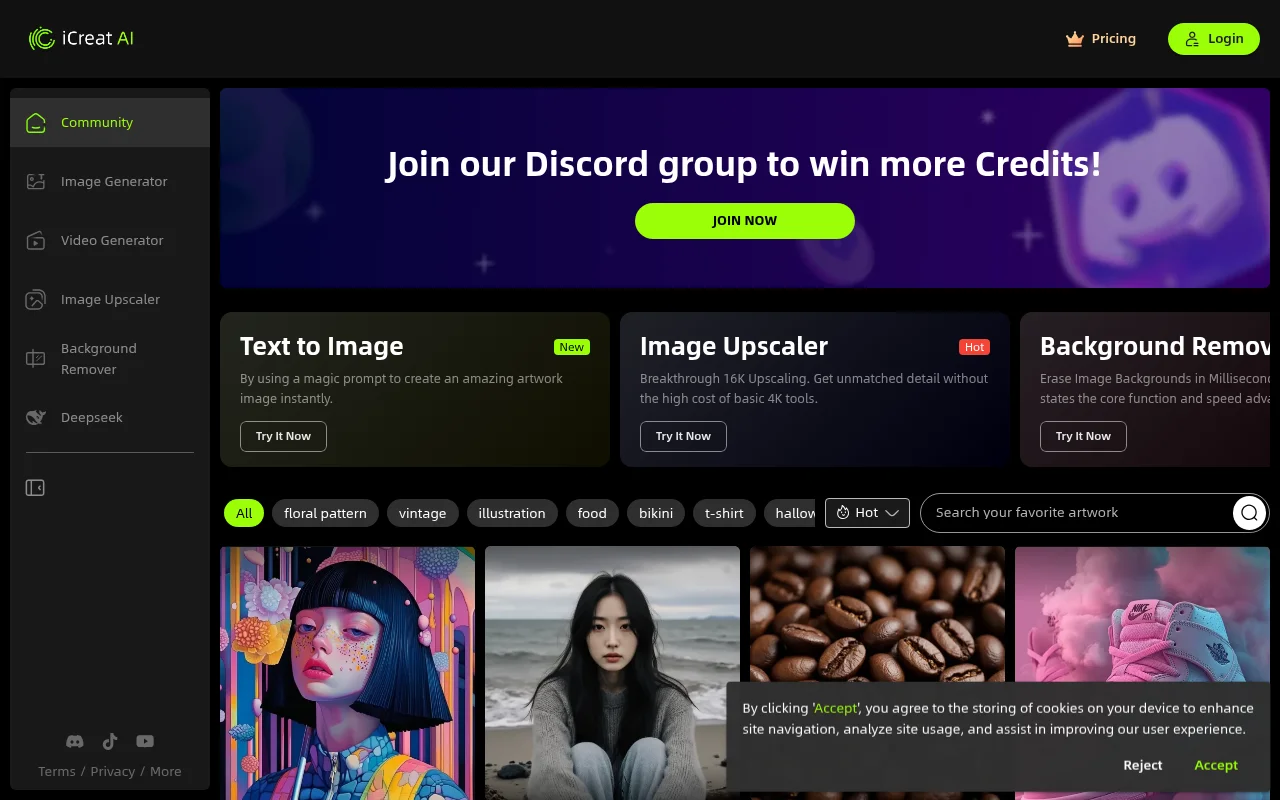
iCreat AI is a comprehensive AI platform that integrates image and video generation functions. Its importance lies in providing users with convenient and efficient creative content creation solutions to meet image and video needs in different scenarios. The main advantages include being free to use, being able to quickly generate creative AI works, and having practical functions such as image enlargement and background removal. The product background may be developed to meet the growing market demand for AI creation tools. In terms of price, some functions can be used for free, and there may also be paid value-added services. Positioned as a creative content creation platform for creative workers, enterprises and other groups.
Demand group:
["Creative workers: iCreat AI rich image and video generation functions can help them quickly transform ideas into actual works, improving creation efficiency and quality. For example, designers can use it to generate design materials of different styles, and illustrators can use it to obtain inspiration and assist creation.", "Enterprises: The platform's creative AI works can provide high-quality materials for corporate marketing activities, product promotions, etc., and enhance corporate image and publicity effects. For example, e-commerce companies can use it to generate product pictures and promotional videos to attract consumers.", "Ordinary users: The free usage and simple-to-use interface allow ordinary users to easily participate in creative creation and meet their creative expression needs in daily life. For example, users can generate unique images and video content for their own social media accounts."]
Example of usage scenario:
E-commerce companies use iCreat AI to generate product promotional images and videos for product detail pages and advertising to attract more consumers.
Advertising companies use the image generation function of the platform to quickly produce advertising materials of various styles to improve work efficiency.
Individual users share artworks created using iCreat AI on social media to gain more attention and likes.
Product features:
Text-to-image function: Users only need to input magical prompt words to instantly create stunning images of artistic works, greatly saving creative time and energy and inspiring creative inspiration.
Image magnification function: With breakthrough 16K magnification capability, it can obtain unparalleled details at a lower cost than basic 4K tools, making images clearer and more beautiful.
Background removal function: It can erase the image background within milliseconds, quickly extract the image subject separately, and improve the efficiency of image processing.
Image generation function: AI technology can be used to generate images of various styles according to user needs, such as floral patterns, retro illustrations, food, etc.
Video generation function: supports users to use AI tools to create videos, providing new ways and methods for video creation.
Usage tutorial:
1. Open the website https://icreat.ai/ and enter the iCreat AI platform.
2. If you need to use some specific functions, you can choose to log in to your account. If there are registration requirements, register first.
3. Select the corresponding functional modules according to your own needs, such as "image generation", "video generation", "image amplification", "background removal", etc.
4. Taking image generation as an example, enter the relevant prompt words in the "Text to Image" function, click the Generate button, and wait for the platform to generate the image.
5. After generating the work, you can further edit and adjust the work, and then choose to save or share the work.













