Kael — AI Assistant for Understanding and Working with Docunents
Kael: AI-powered tool for research, document analysis, and slide creation. Enhance productivity and insights.

English
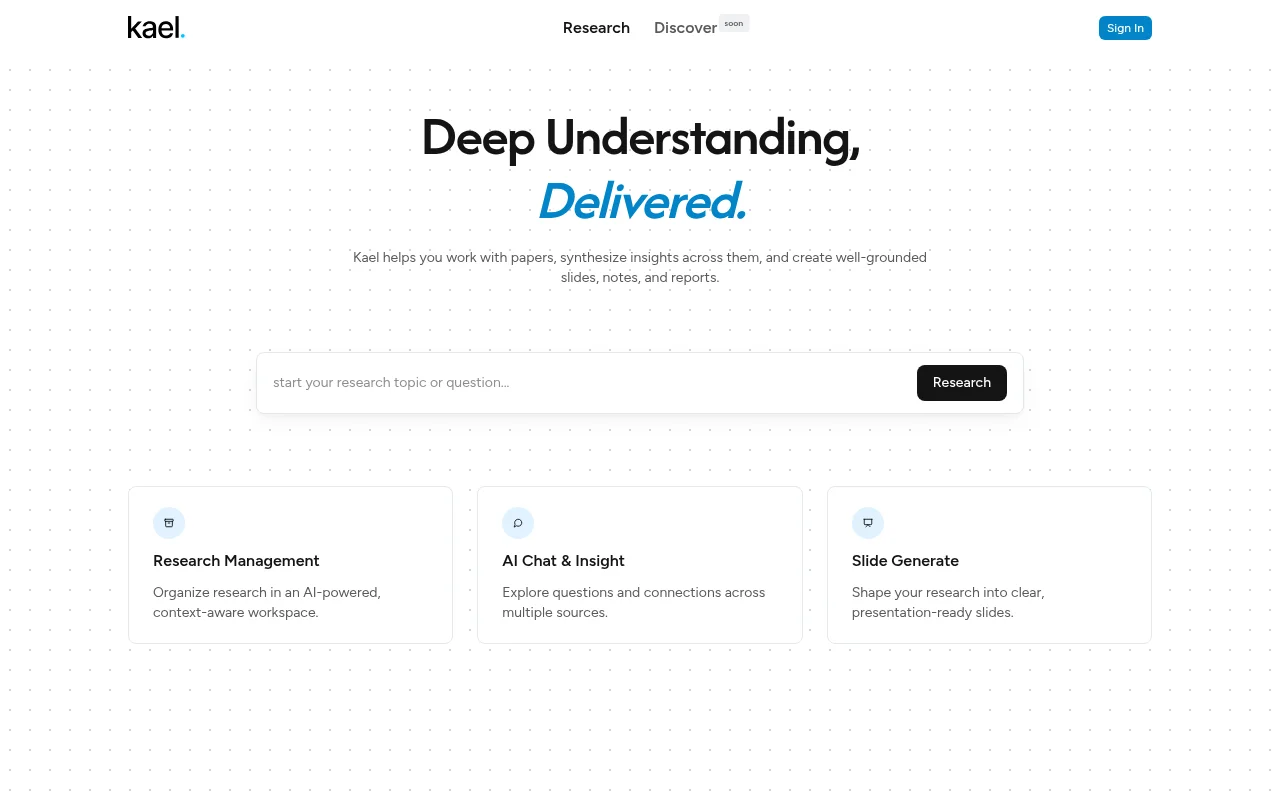
Kael is an AI-powered conversational assistant that supports file uploads, tool invocations, and real-time streaming responses. Its importance lies in providing users with an efficient interactive experience and helping users handle research work more conveniently. Key benefits include the ability to gain in-depth understanding of research content, enable exploration and connection of information from multiple sources, and translate research results into clear presentation slides. The product background information has not been mentioned yet, and the price information has not been given. It is positioned as a productivity tool to assist research.
Demand group:
["Scientific researchers: Kael can help scientific researchers process a large number of research papers, comprehensively analyze the information in them, discover connections between different studies, and improve research efficiency and quality.", "Students: For students, Kael can assist them in course research, organize research materials, and generate clear reports and slides, which will help them better complete their academic tasks.", "Corporate researchers: Corporate researchers can use Kael to analyze industry-related data, gain insights into market trends, and provide strong support for corporate decision-making.", "Content creators: Content creators can use Kael to explore inspirations between different information sources, generate valuable content, and enhance the depth and breadth of creation."]
Example of usage scenario:
Scientific researchers use Kael to analyze multiple academic papers, refine the key points, and quickly complete research reports.
Students upload course-related research materials and use Kael to generate clear presentation slides for classroom presentation.
Corporate researchers use Kael to explore industry trends, analyze market data, and provide a basis for corporate strategic decisions.
Product features:
Support research work: Help users process research papers, conduct comprehensive analysis of multiple papers, extract key information and insights, and provide strong support for research work.
Intelligent organization management: Research materials are effectively organized in a context-aware AI workspace, allowing users to find and manage relevant research content more conveniently.
Cross-source information exploration: allows users to explore issues and connections between multiple information sources, helping users discover potential connections between different research materials and broaden their research horizons.
Slide generation: Convert research content into clear, professional and suitable slides for presentations, saving users time and energy in making slides and improving work efficiency.
Real-time streaming response: During the interaction with the user, the response is provided in a real-time streaming manner, allowing the user to obtain the required information more quickly and improving the interactive experience.
File upload function: supports users to upload relevant files, which facilitates the system to process and analyze the file content, and provides more data sources for research work.
Tool calling support: Various tools can be called to assist in completing research tasks, meet the diverse needs of different users, and improve the accuracy and efficiency of research.
Usage tutorial:
1. Open the website where Kael is located.
2. If you need to log in to your account, click "Sign In" to log in.
3. When conducting research work, you can upload relevant research documents, and the system will process the file contents.
4. Enter questions in the AI chat interface to explore connections and issues between different information sources.
5. When you need to organize research results, use the slide generation function to convert the research content into presentation slides.
6. Organize and manage research materials in a context-aware workspace to facilitate subsequent search and use.