Korgi
Streamline project management with Korgi—create boards in 60 seconds, integrate with Google and Microsoft, and boost team efficiency.

English
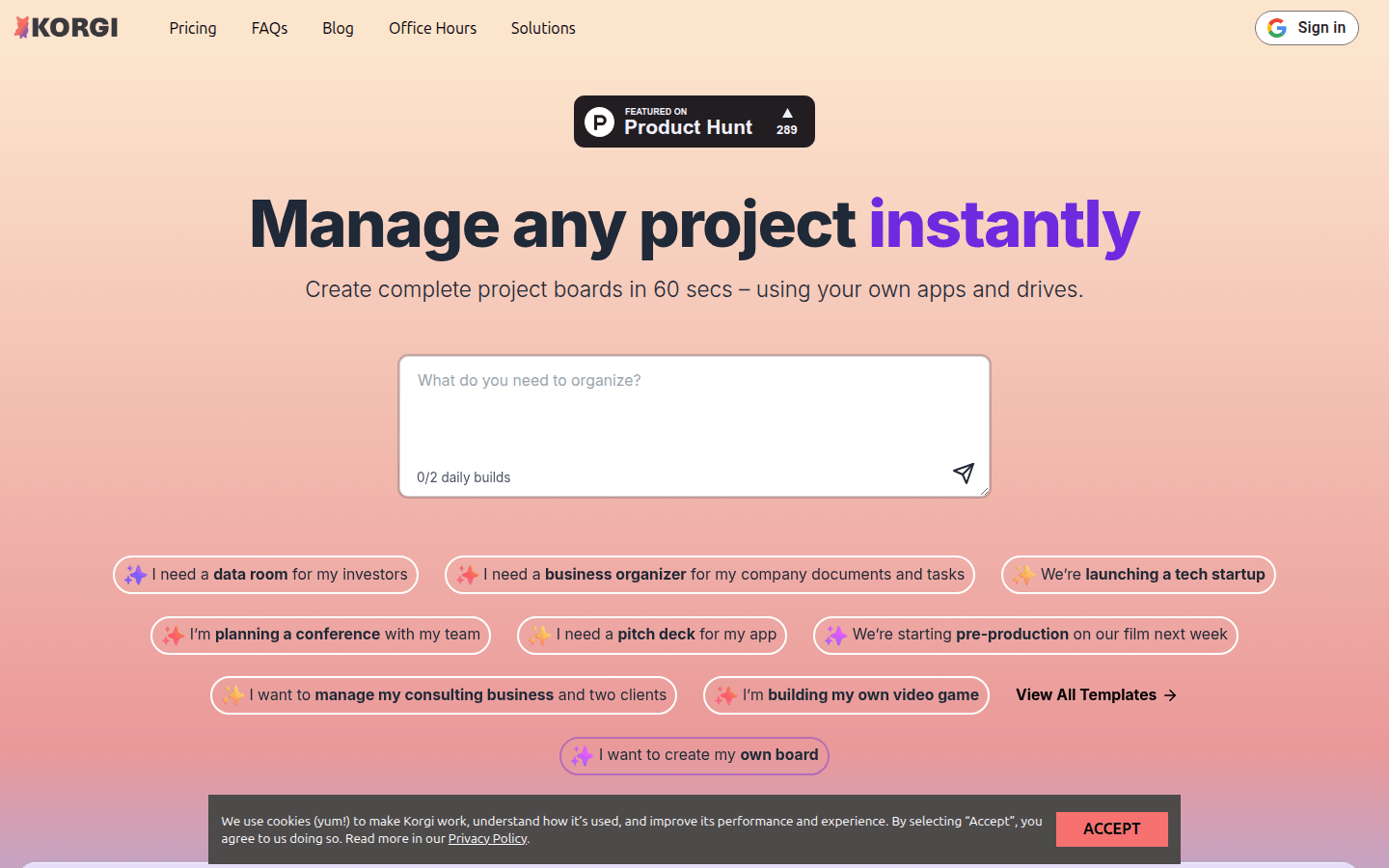
Korgi is an all-in-one project dashboard product. Its importance lies in its ability to help users manage projects efficiently and save time and energy. The main advantages include: can create a complete project dashboard in 60 seconds; supports integration with multiple platforms such as Google Workspace and Microsoft 365; has the function of exporting formatted documents with one click; and provides resources such as expert-guided collaborative working meetings and structured networks. The product is positioned to meet the project management needs of different industries, teams of different sizes and individuals. There is no price information mentioned on the page.
Demand group:
["Entrepreneurs: Entrepreneurs usually need to manage multiple projects and tasks at the same time. Korgi 's rapid creation of Kanban boards and multi-platform integration functions can help them organize their work efficiently, save time and energy, and focus on business development.", "Educators and students: Educators can use Korgi to manage teaching projects and student information, and students can use it to organize learning plans and project assignments to improve learning efficiency and organizational skills.", "Creative workers: such as screenwriters, producers, writers, etc., Korgi 's creative acceleration function and interface with Google can help them better organize the creative process, from idea conception to project execution, and improve creative efficiency. ", "Enterprise employees and teams: For enterprise employees and teams, Korgi 's shared workspace and efficient collaboration functions can promote communication and cooperation among team members, improving work efficiency and project management levels. "]
Example of usage scenario:
Entrepreneur Daniel H: I used to spend 2 hours a day switching between different tabs. After using Korgi , I can organize my work and get rid of the trouble of context switching.
Real Estate Professional Mike W: After using Korgi , I only had two tabs open for the first time and was very pleasantly surprised by the app.
Gigi, a high school student: I originally planned to spend 4 hours creating the college tracker, but used Korgi to set it up in 20 minutes.
Product features:
Quickly create project dashboards: Users can use their own applications and drivers to create a complete project dashboard within 60 seconds, without the need for complex operating procedures, which greatly improves work efficiency.
Multi-platform integration: Supports integration with platforms such as Google Workspace and Microsoft 365, suitable for remote teams, dual-environment companies, and customers using different platforms, making it convenient for users to switch between different systems.
Template selection and customization: Users can either choose pre-built Kanban templates or create personalized Kanban boards according to their own needs to meet diverse project management needs.
Efficient communication and collaboration: Zoom, Meet Pro scheduled chat, AI chat and other functions can be launched directly on the board to facilitate communication and collaboration between team members and reduce communication costs.
One-click export of documents: Supports one-click export of Kanban content into formatted documents, avoiding the trouble of finding information in different tags and folders, saving time and energy.
Resource integration and expansion: Korgi Connect will soon launch expert-guided collaborative working meetings, structured networks, supplier and service provider introductions and other resources to help users expand their business and improve their capabilities.
Usage tutorial:
Step 1: Visit the Korgi official website (https://www.Korgiboard.com). If you already have an account, click "Sign in" to log in; if you don't have an account, follow the prompts to register.
Step 2: After logging in, choose how to create a project dashboard according to your needs. You can tell Korgi what tasks you need to complete and get a complete project board with content steps and resources; you can also choose a pre-built board template; or create your own personalized board.
Step 3: Add content related to the management project in the Kanban board, such as documents, tasks, links, etc. Project items can be created, launched, and shared directly from the board.
Step 4: Use Korgi 's integration function to connect to Google Workspace, Microsoft 365 and other platforms to facilitate switching between different systems. At the same time, functions such as Zoom, Meet Pro scheduled chat, and AI chat can be launched on the board to communicate and collaborate with team members.
Step 5: When you need to organize the Kanban content into a document, use the one-click export function to export the Kanban content into a formatted document to avoid the trouble of finding information in different tags and folders.
Step 6: Pay attention to Korgi Connect related information, participate in expert-guided collaborative working meetings, structured networking and other activities to expand business and improve capabilities.