LazyTyper
Boost productivity with LazyTyper—fast, accurate voice typing for developers, writers, and more.

English
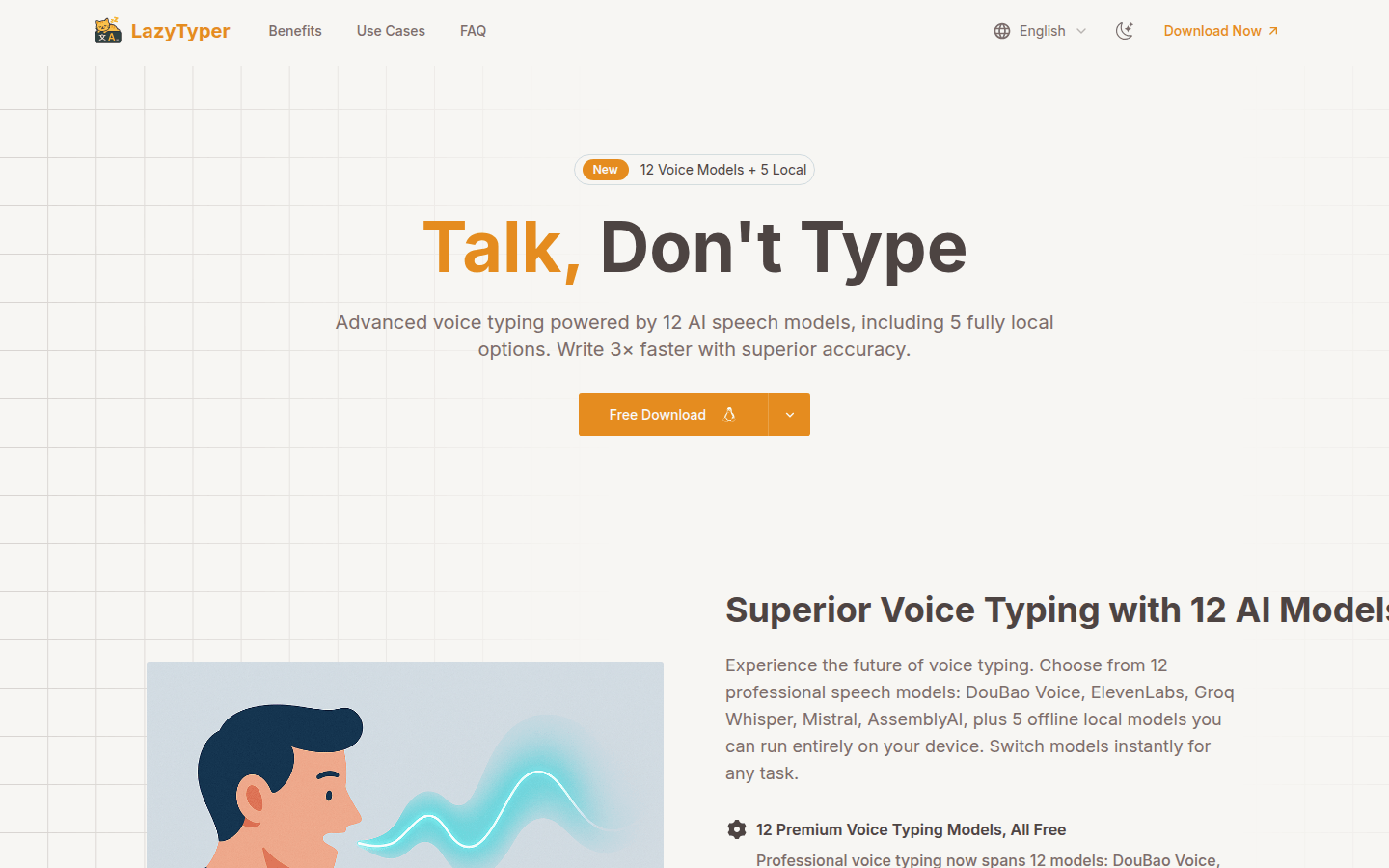
LazyTyper is a voice typing app powered by Whisper. Its importance lies in providing users with efficient and accurate voice input solutions. The main advantages include having 12 professional voice models (5 of which can be run locally), typing speed 3 times faster than manual input, accuracy up to 90%, support for seamless switching of multiple languages, and it is completely free and ad-free. The product is positioned to meet the voice input needs of developers, writers, students, project managers and other people in daily work and study.
Demand group:
["Developers: For developers, when writing code documents, they often need to enter a large amount of text. LazyTyper supports mixed language voice input, can accurately recognize English and Chinese, and provides a variety of voice models, such as ElevenLabs, which is suitable for coding scenarios and can help developers quickly complete document writing and improve work efficiency.", "Content creators: When content creators write articles, stories, etc., they often need to quickly convert the ideas in their minds into words. LazyTyper 's high accuracy and fast input function allow creators to express their ideas in a natural way, saving a lot of time and energy. The 90% accuracy means that creators do not need to spend too much time making modifications. ", "Students: Students need to input a lot of text when taking research notes, writing papers and other learning tasks. LazyTyper 's multi-language support and multiple voice model options can meet students' different learning needs, such as recording English documents and Chinese notes, without switching input methods. ", "Project manager: Project managers need to input information efficiently and accurately when processing emails, reports and other documents in daily work. LazyTyper 's 12 speech models, including 5 local models, can be optimized according to different scenarios, such as quickly recording meeting content during meetings to improve work efficiency."]
Example of usage scenario:
Software developer Alex Chen uses LazyTyper to write coding documents. Its mixed-language voice input support makes him more efficient when processing English and Chinese. Its free and lightweight features have doubled his productivity.
Content creator Sarah Mitchell has used LazyTyper to change her writing process. The high accuracy of voice input allows her to avoid editing text in 90% of cases, saving a lot of time.
Reporter Lisa Thompson uses LazyTyper to record interviews, which can accurately capture the interviewee's words in real time. The lightweight application allows her to perform voice input anywhere, making it an indispensable tool in her field work.
Product features:
It provides 12 AI voice models for advanced voice typing, covering a variety of professional models such as DouBao Voice, ElevenLabs, Groq Whisper, and 5 offline models that can run completely on local devices. Users can quickly switch models according to different task requirements, such as coding, multi-language work, or manual-free writing, to obtain the best voice typing experience.
Achieving voice typing accuracy of up to 90% means that in most cases, the user's voice input does not require any correction. Whether it is content with accents, professional technical terms or mixed languages, it can be accurately recognized, which is far superior to the system's own voice dictation function.
Voice typing is three times faster than manual typing, allowing users to complete text input at a speed close to speaking, which greatly improves work efficiency and is especially suitable for scenarios such as writing emails, documents, code, and chatting.
It supports multi-language voice typing and can easily handle the mixed use of multiple languages such as Chinese, English, and Japanese in the same sentence. Users do not need to switch keyboards during the voice input process. They only need to speak naturally to see accurate text presentation.
As a lightweight voice typing application, it has built-in local and cloud engines, takes up very little system memory, and can run perfectly on Windows and macOS systems. All voice typing functions are completely free without any advertising interference.
Users can freely switch between local and cloud engines without affecting computer performance, ensuring a smooth and stable voice typing experience under different network environments and usage requirements.
Usage tutorial:
1. Visit LazyTyper official website (https://LazyTyper.com) and download the corresponding application according to your operating system (Windows or macOS).
2. After the installation is complete, open LazyTyper application.
3. Choose the speech model that suits the current task. You can choose from 12 professional speech models based on different usage scenarios, such as coding, multi-language work, or manual-free writing.
4. Make sure the device's microphone is working properly and is ready to start voice input.
5. Speak naturally and LazyTyper will convert the voice content into text and display it on the interface.
6. If you need to switch languages or voice models, you can make the corresponding settings in the application.
7. After completing the input, you can save the generated text locally or perform other operations.