Lemon AI
Transform your ideas into art with Lemon AI—fast, free, and full of creative possibilities.

English

Image to Image AI is a cutting-edge image editing model that converts images in high quality with precise prompt control. It’s free to use without registration, and you’ll earn free points for every day you visit. This product is positioned as a personal art studio, providing users with powerful creative support. In terms of price, there are a variety of packages to choose from, starting as low as $0.25 per day. Its key benefits include instant image conversion, flexible input options, intelligent AI editing and high-fidelity output, helping users easily explore ideas, enhance visual effects and realize creative concepts.
Demand group:
["Creatives: For creatives such as artists, designers, and photographers, this product offers endless creative possibilities. They can quickly transform sketches into masterpieces with instant image conversion, and achieve unique creative expression with precise control over the style and details of images through flexible input options and smart AI editing.", "Professionals: Professionals such as advertising practitioners, marketers, and video producers can use this product to improve work efficiency and quality. High-fidelity output ensures professional-quality results, and the integrated creative suite enables them to complete image and video generation, editing, and enhancement tasks on one platform.", "Ordinary users: Even ordinary users without professional skills can easily use this product for creative exploration. The features of free access and free storage lower the threshold of use, allowing users to unleash their creativity at any time and add fun to life."]
Example of usage scenario:
Transform simple sketches into beautiful works of art, such as hand-drawn cartoons into colorful, detailed digital illustrations.
Add a vintage style to a modern photo, such as transforming a modern landscape photo into an image with vintage tones and textures.
Combine multiple images to create unique compositions, such as combining photos of different natural elements into a fantasy scene.
Product features:
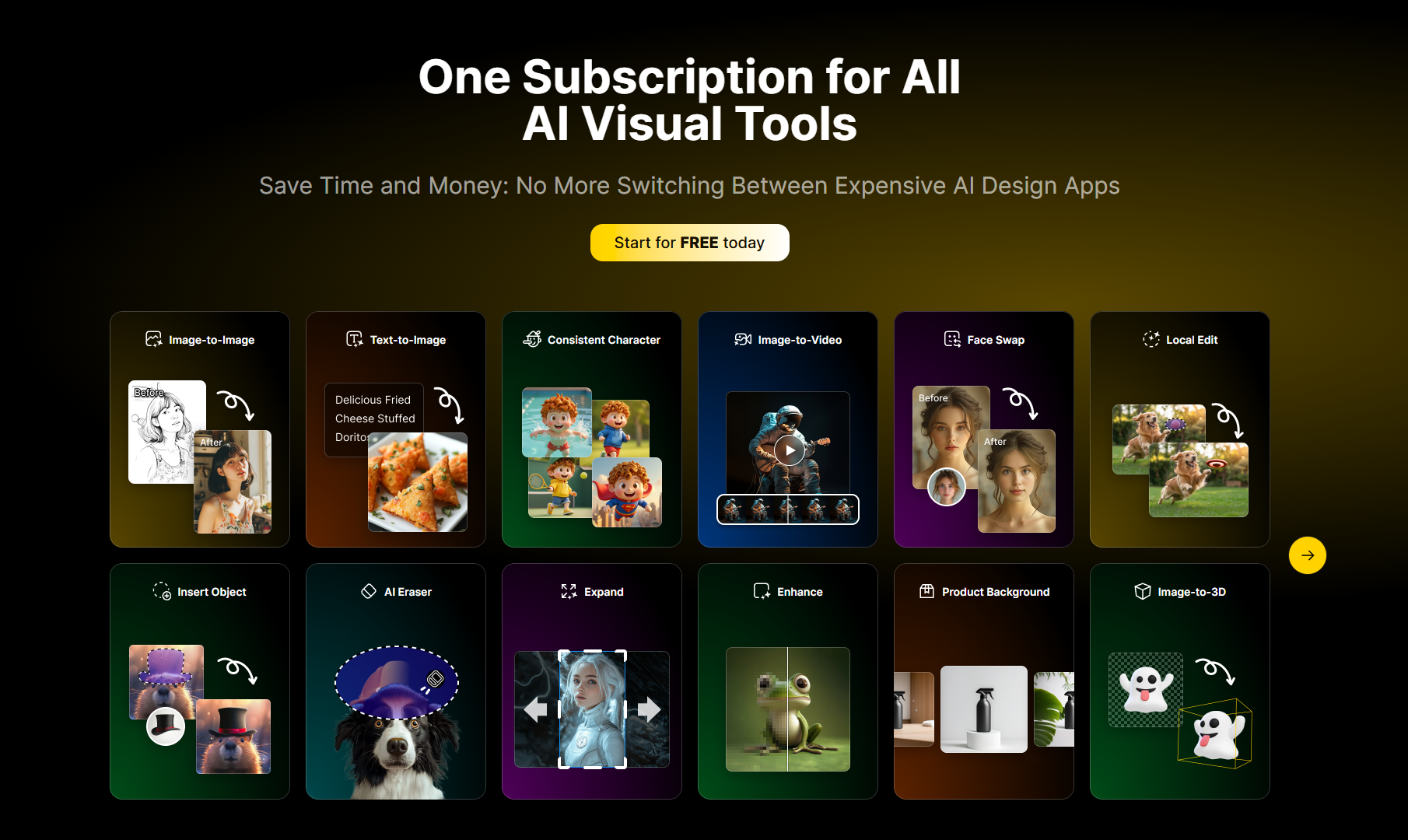
Instant image conversion: This tool can transform any photo, sketch or design into exquisite results in seconds. It is not only a free AI art generator, but also an advanced AI image creator that helps users easily explore ideas, enhance visual effects and realize creative concepts.
Flexible input options: Users can choose the appropriate method according to their workflow, whether text to image, uploading a single photo or combining multiple images. This versatility makes this tool a powerful AI image generator suitable for creative and professional use.
Smart AI Editing: The editing process becomes more intelligent and intuitive, from subtle touch-ups to bold transformations, this tool serves as a powerful photo AI solution that helps users create exquisite AI photos that match their own style and purpose.
High-fidelity output: This technology ensures that every result is clear, detailed, and consistent with the user's vision. Both a picture AI tool and an advanced AI image maker, it delivers professional-quality output that enhances creativity without compromising accuracy.
All-in-one AI creative suite: This is a unified platform that seamlessly generates, edits and enhances images and videos to complete all creative tasks through a powerful integrated suite of AI tools.
Instant free access: No registration required, you can get a new batch of free points every day you visit, you can start creating with powerful AI tools immediately, and you can purchase additional points at any time if needed.
Free Storage: All generated images and videos are automatically saved to free cloud storage, and users can access and manage these files at any time.
Usage tutorial:
Step 1: Fill out the form, including selecting the model, version, uploading the prompt image, setting the aspect ratio, image format and resolution, etc.
Step 2: Click the "Generate" button to start image generation. The generation process takes about 15 seconds.
Step 3: Wait for the generation to complete and view the generated image results.