Levelr
Enhance audio quality with Levelr's AI-powered tools for noise removal, voice isolation, and mastering. Perfect for podcasts, films, and live streams.

English
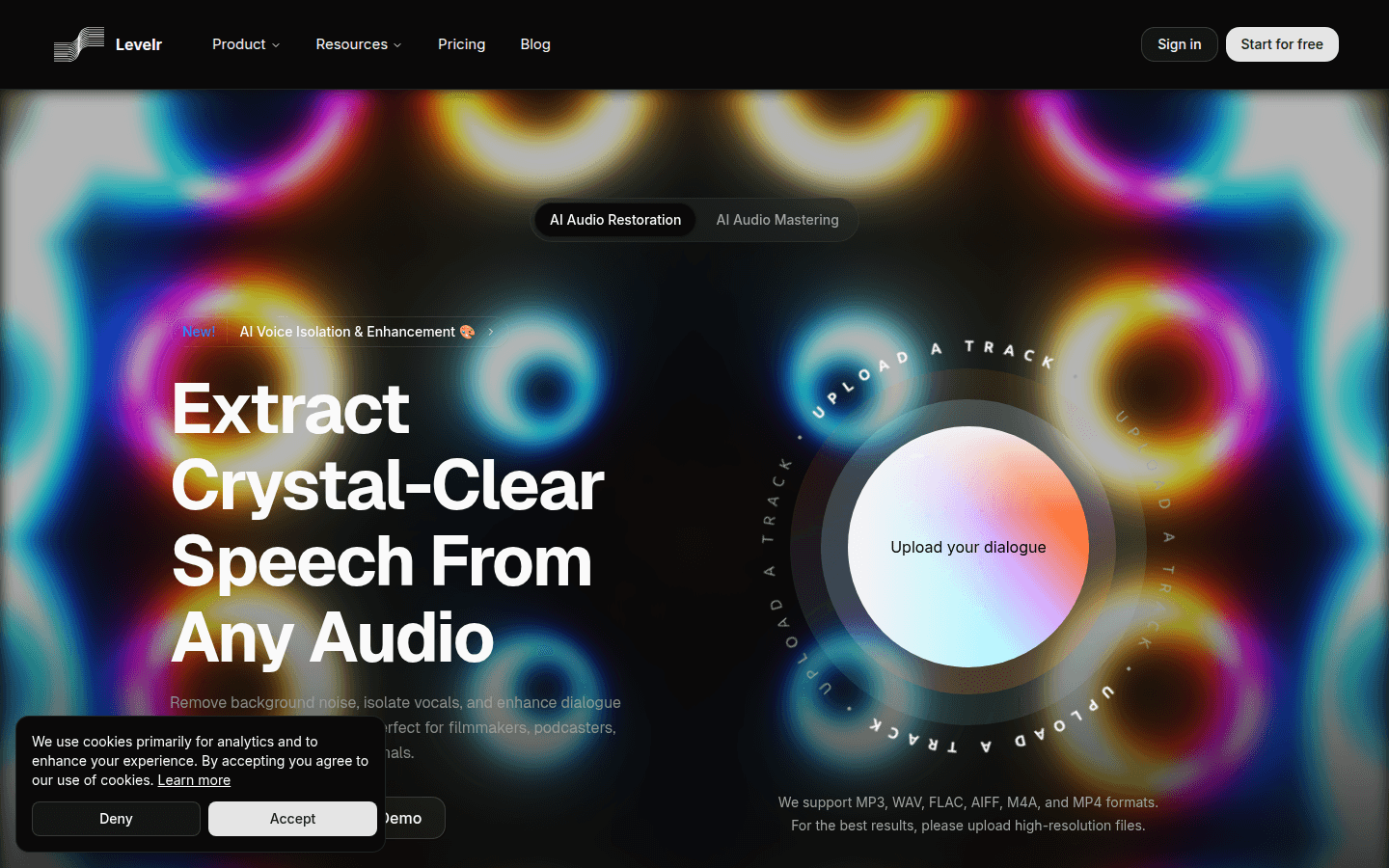
Levelr is a product focused on AI audio processing and analysis. Its core technology is the use of artificial intelligence algorithms to process audio, covering functions such as audio repair, mastering, voice isolation and enhancement. The importance of this product is that it greatly simplifies the audio post-production process and improves audio quality. The main advantages include the ability to efficiently remove background noise, clearly separate speech, and improve speech clarity, and is suitable for a variety of audio processing scenarios. The product is positioned to meet the needs of different industries for high-quality audio processing. Both professional audio producers and ordinary users can use its powerful functions to improve the quality of audio content. In terms of price, a free trial is provided so that users can experience the product functions first.
Demand group:
["Podcast creators: For podcast creators, Levelr can help them remove ambient noise, microphone hiss, and background chatter to ensure that each podcast episode delivers focused, distraction-free audio, allowing listeners to focus more on the content itself.", "Filmmakers and video editors: In the film and video production process, Levelr can quickly process dialogue tracks, remove background music, street sounds or echoes, and provide clean voice tracks for post-production without manual EQ adjustments or noise gates, greatly improving work efficiency. ", "Live broadcast anchors: During the live broadcast, live broadcast anchors may encounter problems such as background music and microphone feedback. Levelr can help them mute background music, reduce microphone feedback, ensure that the live broadcast audio is clear, free of copyright issues, and avoid triggering copyright signs. ", "Interviewers and professionals: During interviews or meetings, you may be disturbed by environmental noise. Levelr can separate sounds from interference, ensuring clear dialogue and improving communication effectiveness."]
Example of usage scenario:
Podcast production: Podcast creators use Levelr to remove environmental noise and background noise, making the audio of each podcast clearer and more professional.
Movie post-production: Filmmakers and video editors use Levelr to process dialogue tracks in movies, remove background music and echo, and add high-quality audio effects to movies.
Live events: Live anchors use Levelr during live broadcasts to reduce microphone feedback and background noise, ensuring clear live audio and copyright compliance.
Product features:
AI audio repair: With the help of advanced artificial intelligence algorithms, it deeply analyzes audio files, accurately identifies and repairs various problems in them, such as noise, distortion, etc., so that the audio can be restored to a pure and high-quality state.
AI audio mastering processing: Use professional audio mastering processing technology to comprehensively optimize the audio, adjust the volume, timbre, balance and other parameters of the audio, so that the audio can present the best effect on various playback devices.
AI voice isolation and enhancement: Through powerful artificial intelligence technology, the voice is accurately separated from the complex audio environment, while background noise is removed, significantly enhancing the clarity and intelligibility of the voice, making the voice more prominent.
Remove background noise: Use advanced noise reduction algorithms to effectively identify and remove various background noises in audio, such as street sounds, microphone feedback, environmental noise, etc., leaving only clear and pure speech.
Improve speech clarity: Use intelligent algorithms to process blurred conversations and distant voices to separate speech from noisy environments, improve the quality of speech, and make it easier to understand.
Remove music and interference: It can automatically identify and mute copyrighted music, background chatter and overlapping conversations, providing users with a clean, interference-free voice track to ensure the safety and professionalism of audio use.
Simplify the post-production process: Through intelligent processing, the tedious steps of manual operations are reduced, saving a lot of time and energy, allowing users to complete audio post-production more efficiently.
Usage tutorial:
Step 1: Visit the Levelr website (https://Levelr.ai) and click "Start for free" to start the free trial.
Step 2: Register and log in to your account and enter the product interface.
Step 3: Click the "Upload a track" button and select a supported audio format (such as MP3, WAV, FLAC, etc.) to upload the audio.
Step 4: After the upload is completed, select the functions you want to use, such as audio repair, voice isolation and enhancement, etc.
Step 5: Wait for the processing to be completed and preview the processed audio effect.
Step 6: If you are satisfied with the processing result, click the Download button to save the processed audio file.