Livespace.ai
Livespace.ai: AI-powered design platform for real-time previews and passive income.

English
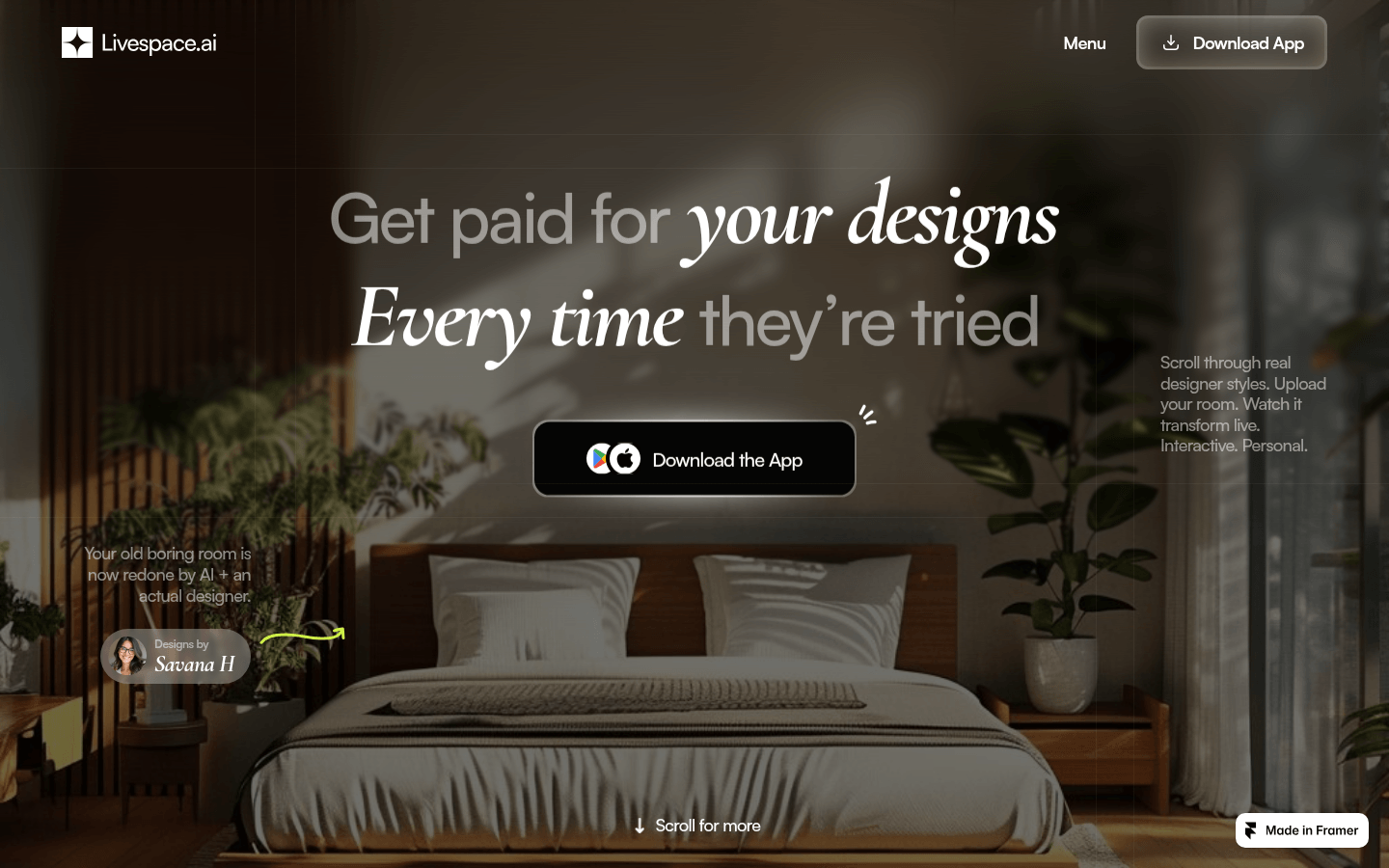
Livespace.ai is a design app that combines real-time room previews with passive income opportunities. Its core functions are based on AI technology and can provide designers and homeowners with a convenient design experience. The importance lies in the fact that it breaks the model of the traditional design industry, allowing designers to earn profits without cumbersome offline communication, and homeowners can easily preview the design effect. The main advantages include: providing passive income for designers, AI-driven matching to improve efficiency, and users can preview design effects in real time without any upfront payment. The product background information is to solve the problems of difficulty in exposure for designers in the design industry, low income, and difficulty for homeowners to find designers. The current document does not mention price-related content. It is speculated that uploading designs is free, and designers can earn income by users trying out designs. The product is positioned as a design trading platform that connects designers and homeowners to promote the circulation and realization of design works.
Demand group:
["Designers: Suitable for all types of interior designers. They can upload their design works to the platform and use AI matching to find potential customers. Without the need for traditional offline marketing and communication, they can gain more exposure and revenue opportunities and maximize the value of their designs.", "Homeowners: For homeowners who want to decorate or change the style of their rooms, the platform provides a wealth of design options. Without the need for tedious consultation and prepayment, they can preview the design results in real time through AI and choose a design plan that suits them.", "Brand merchants: Brand merchants can cooperate with designers to promote products by accessing the Livespace platform, using the designers' works to gain more exposure and sales opportunities, and at the same time bring additional ancillary income to the designers."]
Example of usage scenario:
The designer uploads the living room design, and the user gets income after trying it out: Designer Savana H uploads the living room design, and the user previews the design in his or her living room through AI, and Savana H gets corresponding income every time.
Brand access brings affiliate income: As brands cooperate with Livespace, designers’ works will automatically receive affiliate income, adding additional revenue channels.
Users can quickly find a design that suits them: Homeowners upload room photos, and AI recommends designers’ works based on their taste and location. Users can quickly find a design that suits their room.
Product features:
AI-driven matching: Using advanced AI technology, combined with the homeowner's taste, room photos and geographical location, it accurately recommends the design plan uploaded by the designer to improve matching and efficiency.
Instant trial and preview: Users can preview the designer's work in the real space through AI and experience the design effect without consultation or upfront payment.
Passive income model: Each design uploaded by the designer can automatically receive passive income every time a user tries it or generates it, realizing the realization of the value of the design.
Brand tags and automatic income: As the brand connects to Livespace, the designer's works will automatically obtain associated brand tags and obtain corresponding ancillary income.
Customized AI models: Livespace creates exclusive small AI models for each designer's unique style. Users can apply the design by taking photos to achieve a real-time interactive experience.
Real-time try-on function: Users can preview in real time how the designer's design will be applied to their own space by taking photos of their own room, enhancing the visualization effect of the design.
Style tags and filtering: When uploading designs, designers can tag the works with styles, room types, characteristics, etc., to facilitate users to filter and search according to their own needs.
Usage tutorial:
1. The designer registers and logs into Livespace.ai platform.
2. Upload design works: Designers upload their own room designs to the platform and add tags such as style, room type and characteristics to each design.
3. Waiting for AI matching: The platform’s AI will recommend the designer’s works to suitable homeowners based on the user’s taste, room photos and geographical location.
4. User preview design: Homeowners can use AI to preview the designer's work in their own space by taking photos or uploading room photos.
5. Designers earn income: Whenever a user tries out or generates a designer’s work, the designer will automatically earn passive income.