nao
AI-powered data editor for data teams, streamlining workflows with smart code generation and data quality assurance.

English
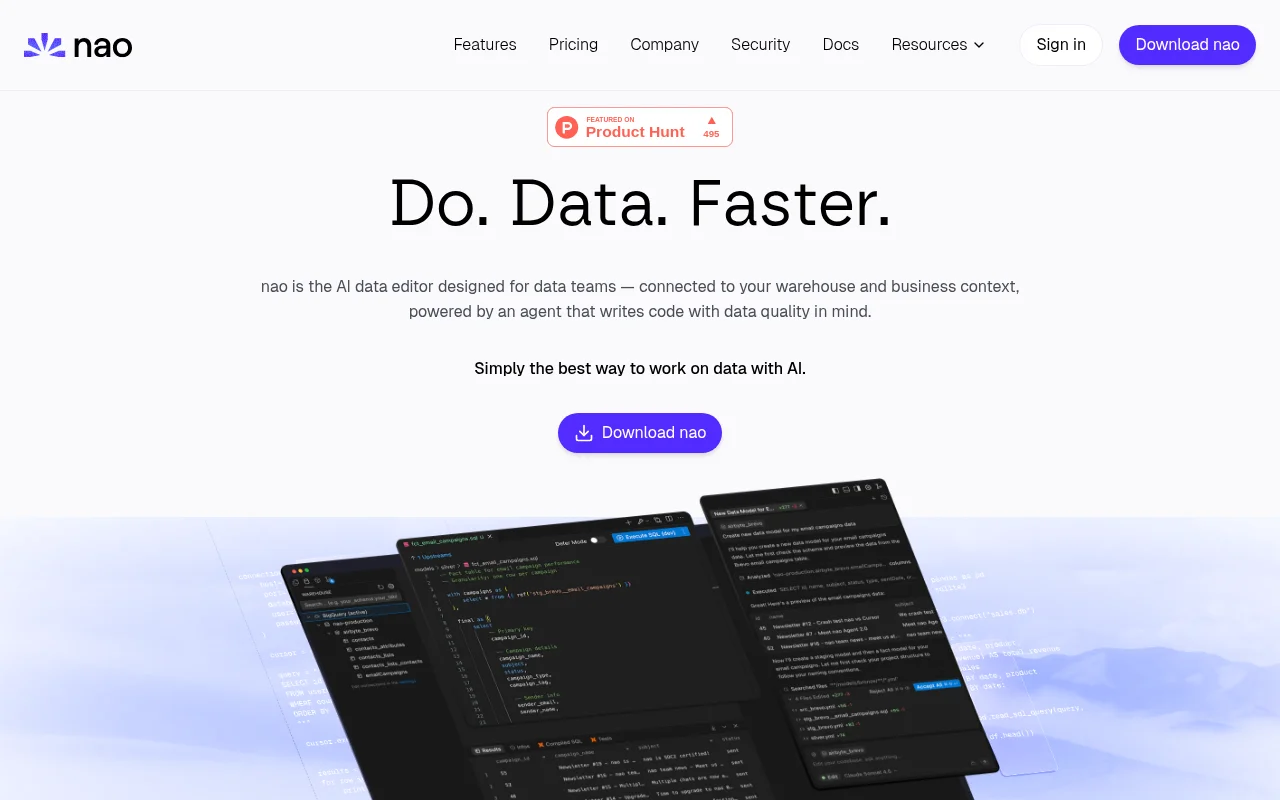
nao is an AI data editor developed by nao Labs and supported by Y Combinator. It connects the data warehouse and business context, drives AI code writing with data as the core, and ensures data quality. The advantage of the product is to improve data processing efficiency, allowing data teams to say goodbye to cumbersome tools and complete data operations in an IDE. The product positioning is to provide one-stop data development solutions for data teams. Pricing information was not mentioned.
Demand group:
["Data team: nao is specially designed for data teams. It integrates multiple data warehouses and provides AI-assisted functions, which can improve data processing and analysis efficiency and ensure data quality.", "Data analyst: can use its AI agent to run complex analysis, explore trends, quickly obtain data insights, support the creation of beautiful charts, and assist visual analysis.", "Data engineer: supports the creation of data pipelines and data models, and integrates tools such as dbt, which can improve data development efficiency and ensure data security."]
Example of usage scenario:
The data team uses nao to connect multiple data warehouses and quickly create data pipelines through AI agents to improve data processing efficiency.
Data analysts use nao 's AI agent to conduct complex analysis, explore sales data trends, and provide a basis for decision-making.
Data engineers use nao to integrate dbt tools to preview and manage dbt models to ensure the quality and delivery speed of data models.
Product features:
Supports connection to multiple data warehouses, such as Postgres, Snowflake, BigQuery, etc. Users can directly query and preview data in the IDE, and also enjoy functions such as SQL query and AI automatic completion of data patterns.
Equipped with AI agent functions, it can directly access data patterns, write codes to match data, query and analyze data, and ensure data quality.
Ability to quickly create data pipelines to convert raw warehouse tables into clean production-ready models, saving data model delivery time.
It supports running complex analysis, exploring data trends, and gaining insights into key information through AI agents, helping users quickly obtain data insights.
Use data patterns, codes, and documents to identify relevant data, and use AI agents to test data and run data difference analysis to ensure data quality.
Integrated data stack tools. If DBT integration is supported, you can use DBT tools in the agent, preview DBT models, view pedigrees, and write code using data stack documents as context.
Data stack MCPs can be added with one click to add more tools to the AI agent.
Supports personalized AI agents and can customize nao rules based on data models, coding styles and project rules.
Usage tutorial:
1. Download nao desktop client.
2. Connect to data warehouse, supporting Postgres, Snowflake and other warehouses.
3. Query and preview data directly in the IDE, using SQL query and AI auto-complete functions.
4. Use AI agents to complete data processing tasks, such as creating data pipelines, running analysis, etc.
5. Integrate data stack tools, such as dbt, and use related functions for data development.
6. Personalize the AI agent as needed and set nao rules.