Ricebowl AI
Create stunning videos and images with Ricebowl.ai — fast, easy, and free.

English
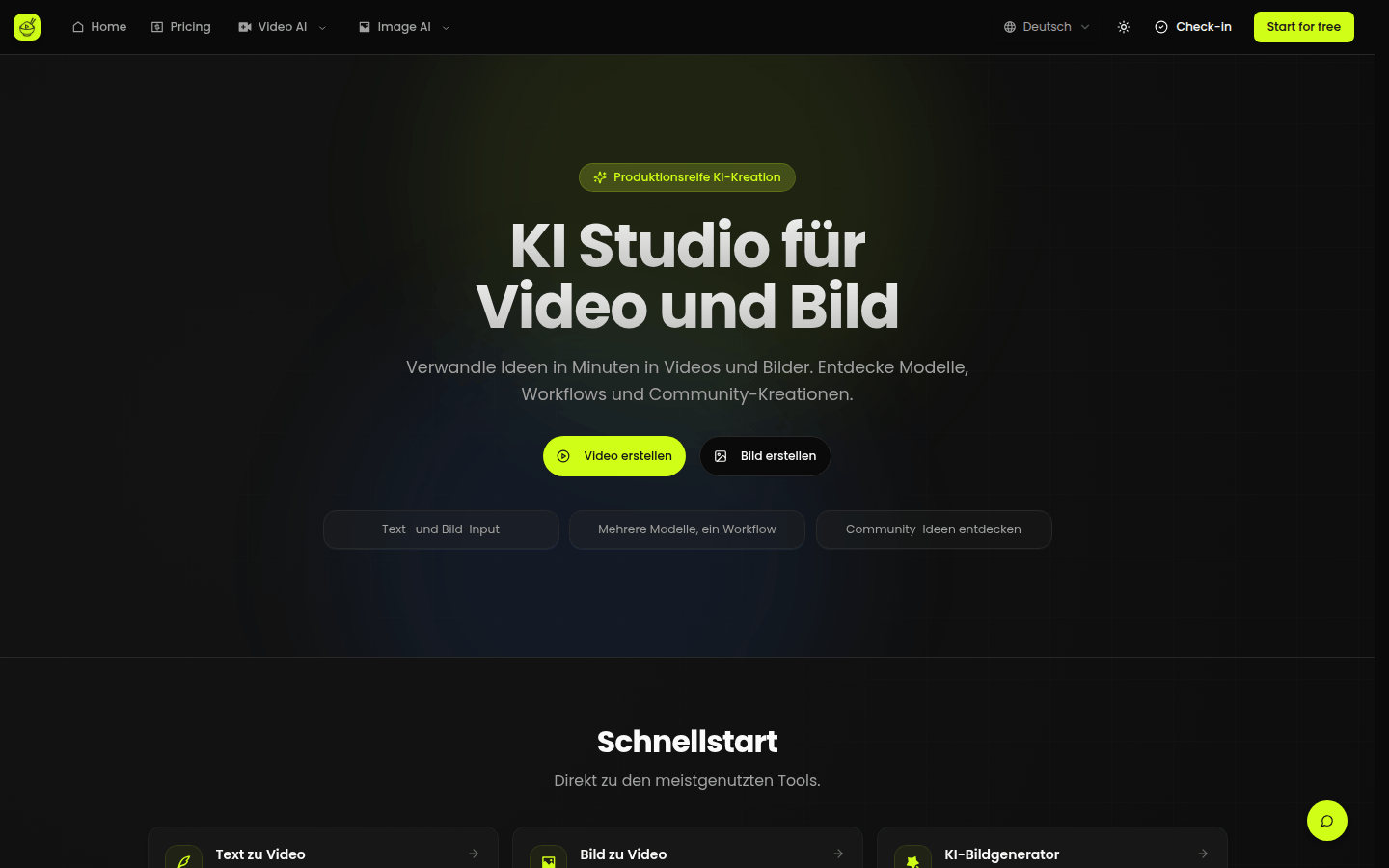
Ricebowl.ai is an AI video and image studio that uses mainstream AI models to generate videos and images. Its core technology lies in the integration of multiple advanced AI models, which can realize the conversion of text to video, picture to video, text to picture, and picture to picture. Its importance is reflected in the fact that it provides users with a convenient and efficient way to create content, which is suitable for a variety of scenarios. The main advantages include supporting multi-model unified workflow, rapid production, and features such as character consistency and audio-visual synchronization. The product background may be developed in compliance with the general trend of AI content creation. In terms of price, it provides the opportunity to use it for free. It is positioned as a production-oriented AI creation platform to help users quickly transform ideas into videos and pictures.
Demand group:
["Content creators: For content creators who need a large amount of video and picture materials, Ricebowl.ai provides a convenient way to create, saves time and energy, and can quickly transform ideas into actual works.", "Marketers: In marketing activities, they need to produce attractive videos and pictures to promote products or services. This platform can help marketers quickly generate high-quality promotional materials and improve marketing effects.", "Designers: Designers can use the platform's various functions for creative exploration and work creation, such as generating unique pictures, converting design concepts into dynamic videos, etc., to enrich the expression of design works.", "Students: During the learning process, students may need to make some videos or pictures to complete assignments, display results, etc. Ricebowl.ai is relatively simple to operate, suitable for students to get started quickly, and helps them better demonstrate their learning results."]
Example of usage scenario:
Content creators use the Vincent Video function to generate a wonderful animated video based on a story script for self-media release.
Marketers use the image-generating function to stylize product promotional images and create more attractive posters for online and offline promotion.
The designer uses the AI image generation function to input text related to the design concept and generates a series of creative pictures, which provides inspiration and materials for the design project.
Product features:
It supports text and image input. Users can not only generate videos or images by inputting detailed text prompts, but also upload images to animate static images to generate dynamic videos, which greatly enriches the sources and methods of creation.
The multi-model unified workflow integrates a variety of mainstream AI models, such as Sora 2, OpenAI video model, etc. Users do not need to frequently switch between different models. They can easily use various models for creation on one platform, improving creation efficiency.
Vincent Video function uses advanced AI models to generate high-quality videos based on text descriptions input by users. Even without professional video production knowledge and skills, users can easily create wonderful video content through text.
The Tusheng video function can animate static pictures, give them life and vitality, and add dynamic effects to some originally static picture materials. It is suitable for converting old photos, illustrations, etc. into dynamic videos.
AI image generation function allows users to input text and the system can generate corresponding pictures to meet users' needs for pictures of specific themes and styles, and provides rich picture resources for design, creation and other fields.
The picture-generating function allows you to stylize and redraw pictures. Users can style-convert existing pictures according to their own preferences, such as converting realistic style to cartoon style, etc., to achieve secondary creation of pictures.
Usage tutorial:
1. Open the Ricebowl.ai website. If you need to use some specific models, you can log in first.
2. Choose the appropriate function according to your own creative needs, such as Vincent video, Tusheng video, AI image generation, Tusheng pictures, etc.
3. If you choose the Wensheng video or AI image generation function, describe in detail the content you want to generate in the input box, including theme, style, scene and other information; if you choose the Tusheng video or Tusheng picture function, upload the corresponding picture material.
4. Choose the appropriate AI model. The platform provides a variety of mainstream models for users to choose from, and they can be selected according to their own needs and effect preferences.
5. Click the Generate button and wait for system processing. After the processing is completed, you can view and download the generated video or picture.













