Seedream 4.5
Generate high-quality 4K images with Seedream 4.5 for电商, design, and content creation.

English
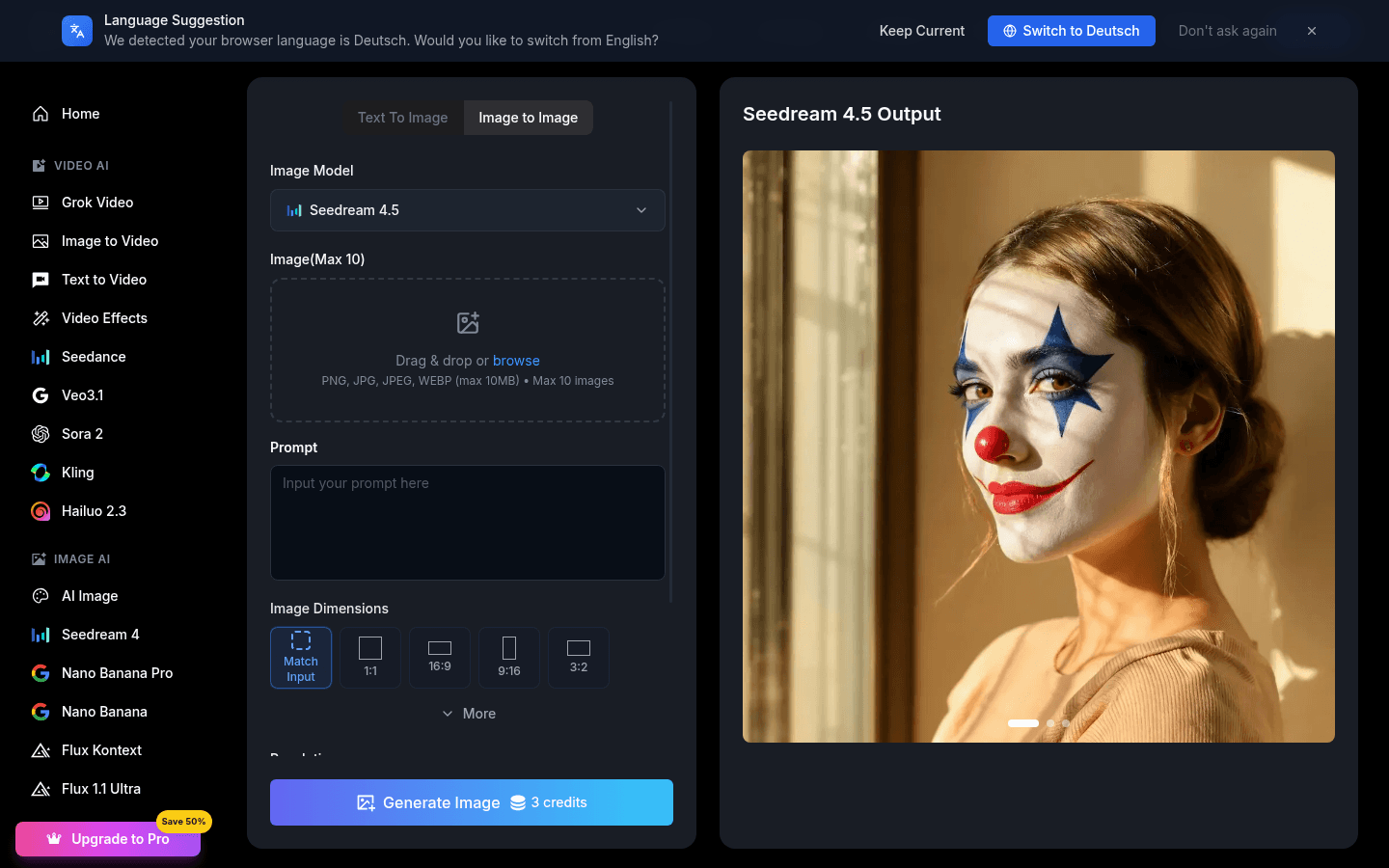
Seedream 4.5 is an AI model launched by ByteDance. Its importance lies in its ability to provide high-quality processing effects in the image field and help users quickly obtain professional-level image works. The main advantages include the ability to generate 4K movie-level visual effects, making text clearer and sharper, processing faces more delicately, and having advanced multi-image fusion capabilities. This model is positioned as a professional image generation tool for the e-commerce and advertising design industries to help relevant practitioners improve work efficiency and design quality. The price document does not mention it.
Demand group:
["E-commerce practitioners: The e-commerce industry requires a large number of high-quality product display images. Seedream 4.5 can help them quickly generate attractive images, improve product display effects, and thereby increase sales conversion rates.", "Advertising designers: Advertising design has high requirements for image quality and creativity. The model's 4K movie-level visual effects and multi-image fusion functions can provide designers with more creative and high-quality images to make advertisements more attractive.", "Content creators: Content creators need to use various images to enrich content during the creation process, Seedream 4.5 meets their demands for image quality and variety, helping them create better content."]
Example of usage scenario:
The e-commerce platform uses Seedream 4.5 to generate promotional images of products to improve the display effect of the products and attract more consumers.
Advertising companies use this model to design advertising posters, making the ads more attractive through 4K movie-level visual effects and multi-image fusion technology.
Content creators insert high-quality images generated using Seedream 4.5 into articles to enrich the content of the article and improve the readability of the article.
Product features:
Generate 4K movie-level visual effects: Seedream 4.5 can generate 4K movie-level visual images with high resolution and high quality, giving the image a movie-like texture and delicacy, meeting scenes with higher image quality requirements.
Make text clearer and sharper: This model can optimize the text in the image to make the text clearer and sharper, avoid blurred text, and improve the readability of text information.
Fine processing of faces: When processing images containing human faces, Seedream 4.5 can finely optimize the face, retaining the detailed features of the face, making the face look more natural and beautiful.
Advanced multi-image fusion: Supports advanced multi-image fusion technology, which can naturally fuse multiple different images to generate new image works that meet design needs, providing designers with more creative space.
Assist e-commerce design: It can provide high-quality product display images for the e-commerce industry. By optimizing image effects, it attracts consumers' attention and improves the sales conversion rate of products.
Optimize advertising design: In the field of advertising design, Seedream 4.5 can generate attractive advertising images, make advertising content more prominent, and enhance the communication effect of advertising.
Usage tutorial:
1. Access the usage platform of Seedream 4.5 : Open the relevant usage interface or platform and ensure that the network connection is normal.
2. Register or log in to your account: If necessary, follow the platform prompts to register or log in.
3. Select the operation type: According to your own needs, choose the operation type such as image generation, image optimization, image fusion, etc.
4. Enter relevant parameters or upload images: If you are generating images, enter relevant description information; if you are optimizing or merging images, upload the images that need to be processed.
5. Waiting for processing results: After submitting the operation, wait for the model to process the image. The processing time depends on the complexity of the image.
6. View and download the results: After the processing is completed, view the generated image and, if satisfied, download and save the image locally.