Sketchflow.ai
AIO design tool that speeds up product development from concept to code.

English
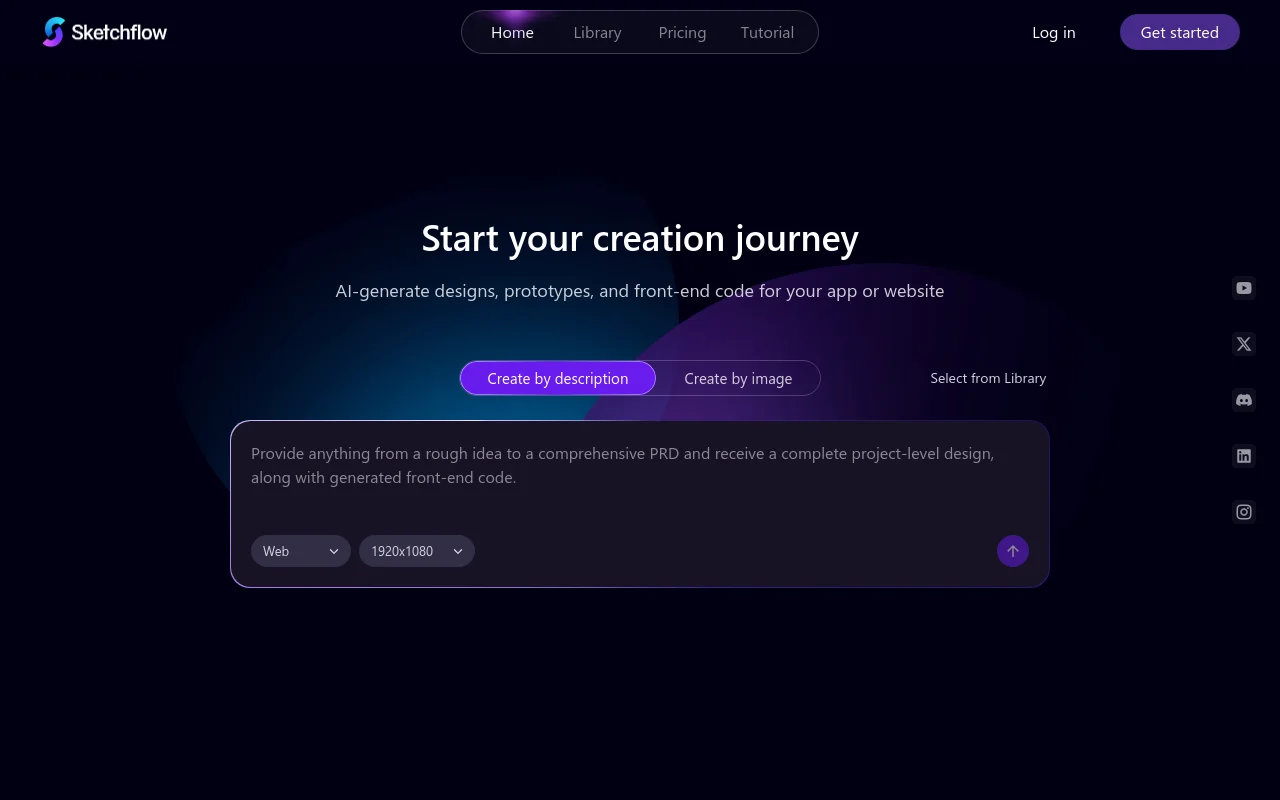
Sketchflow is an AI-powered design tool designed to accelerate the product development process from design to code generation. Its importance lies in greatly shortening the time from product concept to launch and improving development efficiency. The main advantages include: it can quickly generate beautiful UI designs, create interactive demonstrations, support multi-platform code generation, provide flexible design methods and a rich template library. Product background was born to meet the needs of rapid iteration of product development. In terms of price, it is free to use, and payment details can be viewed on the official website. Positioning is to provide developers, designers and entrepreneurs with one-stop product design and development solutions.
Demand group:
["Developers: Sketchflow's multi-platform code generation function can help developers quickly obtain production-ready code, reduce the time of manual coding, and improve development efficiency. At the same time, the interactive prototype preview function facilitates communication between developers and team members to ensure that the interaction logic of the product meets expectations.", "Designer: For designers, AI design generation and a rich template library can stimulate creativity and quickly generate design solutions. Flexible design methods and full-screen design support allow designers to focus on the design itself without worrying about adaptation issues for different platforms.", "Entrepreneurs: Entrepreneurs usually need to quickly verify product ideas and push them to the market. Sketchflow can help entrepreneurs transform ideas into actual products in a few minutes. The one-stop service from design to code generation greatly shortens the product development cycle and reduces startup costs."]
Example of usage scenario:
Startup companies quickly verify product ideas: A startup company had a new social application idea and used Sketchflow to generate design plans and interactive prototypes in a short time, presented it to investors, and obtained investment.
Designers improve work efficiency: A freelance designer used Sketchflow's AI design generation and template library to quickly complete the design of multiple different projects, saving a lot of time and energy.
Developers accelerate project development: The development team uses Sketchflow's multi-platform code generation function to develop web and mobile applications simultaneously, speeding up the launch of the project.
Product features:
AI design generation: Users only need to describe product ideas, select platforms and styles, and AI can immediately generate customized user flows, interface pages and design elements for the website or application, saving a lot of design time.
Interactive prototype preview: The design results can be previewed as a fully interactive prototype, allowing team members and customers to experience the interactive experience of the product in advance, facilitating timely feedback and adjustments.
Multi-platform code generation: Supports one-click generation of multi-platform code, including Web project code compatible with multiple frameworks, as well as code for building native iOS and Android applications, to efficiently achieve cross-platform product development.
Flexible design methods: Two creation methods are provided. You can design from scratch by describing product ideas, or you can upload reference pictures and let Sketchflow convert them into editable interface designs to meet the design habits of different users.
Full-screen design support: Easily create designs suitable for various screens, including web pages, mobile devices, tablets, and desktops, enabling one tool to meet diverse design needs.
Rich template library: It has a diverse template library, including popular design styles such as light skeuomorphism, glass skeuomorphism, and dark mode. No additional settings are required. Users can directly select and use it to quickly start projects.
AI regeneration and tuning: Supports AI regeneration and flexible UI adjustment of the generated design, helping users continuously optimize the design plan to achieve the desired effect.
Simulated running test: Code logic can be seamlessly tested and verified in a simulated environment. Although the simulated running function of iOS and Android applications is under development, the product testing process will be further improved in the future.
Usage tutorial:
1. Visit the website: Open the browser and visit the official website of Sketchflow https://www.Sketchflow.ai/.
2. Register and log in: If you are a new user, click "Get started" to register; if you already have an account, click "Log in" to log in.
3. Select the creation method: You can choose "Create by description" to describe the product idea, choose the platform and style; you can also choose "Create by image" to upload a reference image.
4. Design products: According to the selected method, let AI generate the design plan, and then edit and adjust the design, such as using AI regeneration, flexible UI adjustment and other functions.
5. Preview the prototype: After completing the design, preview it as an interactive prototype to check the interactive experience and design effect.
6. Generate code: After confirming that the design is correct, click one click to generate code and select the required code format and platform.
7. Simulated running (optional): If necessary, the code logic can be tested in a simulated environment. Currently, the simulated running function of iOS and Android applications is under development.
8. Launch the product: Deploy the generated code to the corresponding platform to complete the product launch.













