YouWare
Build apps and websites with AI chat—no code, no setup. Instant access to advanced models, beautiful designs, and secure deployment.

English
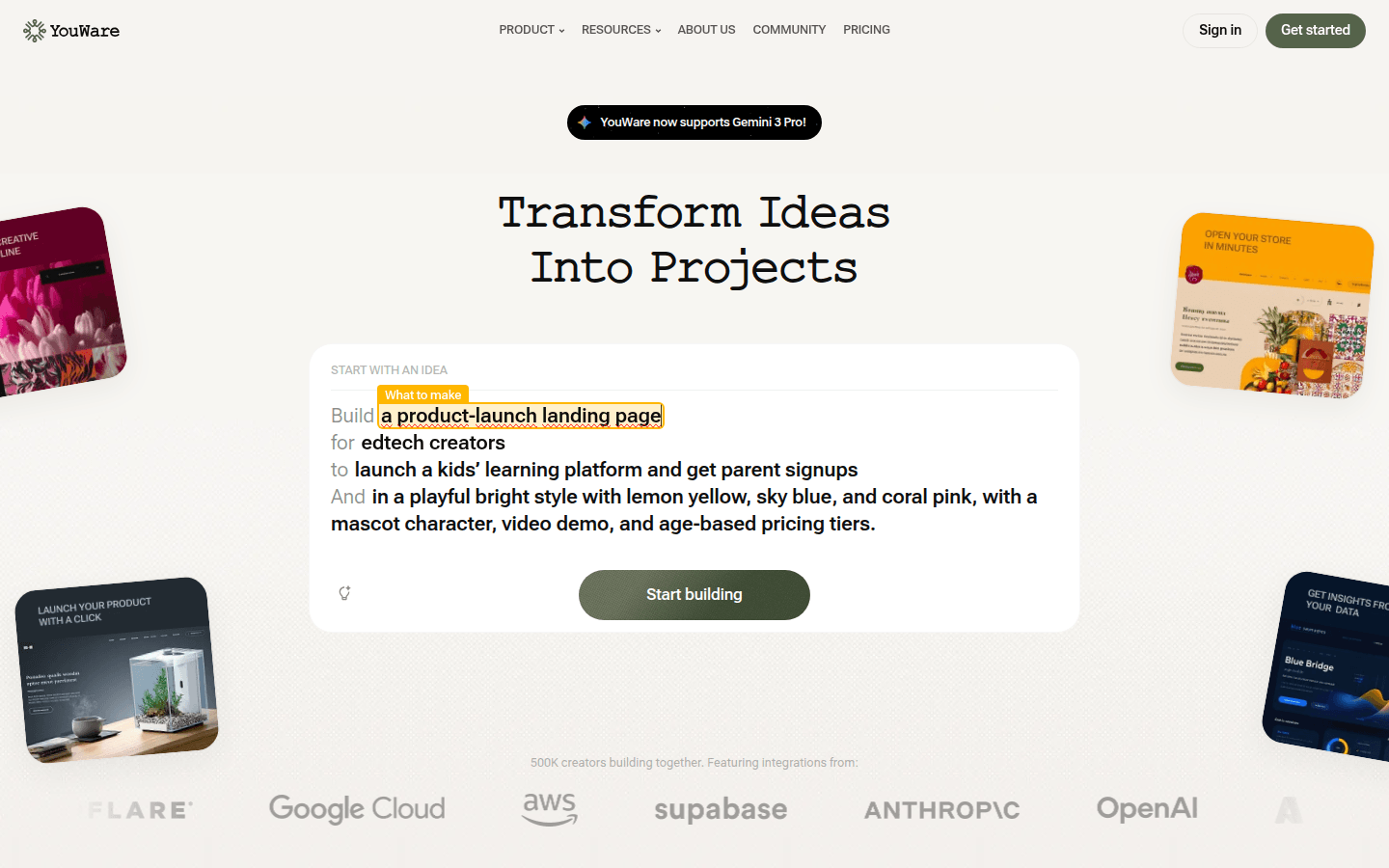
YouWare is an all-in-one AI coding platform that allows users to build apps and websites by chatting with AI. Its biggest advantage is that it can generate and deploy full-stack code without any code base or settings, and can immediately obtain a shareable URL. The platform integrates advanced AI models such as Gemini 3 Pro to provide users with powerful coding support. When it comes to design, Boost features allow users to easily create outstanding visual designs. At the same time, it also has the function of automatically testing and repairing errors, making the user's development process smoother. In addition, the platform also provides a Credit Care function, allowing users to try again without losing points. YouWare has built-in AI API, no API key setup and configuration required, enterprise-grade security and simplified data analysis capabilities. In terms of price, charges are based on different subscription plans, and it is positioned to provide a convenient, efficient, and secure development platform for developers and entrepreneurs.
Demand group:
["Developers: For developers, YouWare provides a convenient development environment. You do not need to write a lot of code. You can complete the development of applications and websites by chatting with AI, which greatly improves development efficiency. At the same time, the platform integrates advanced AI models and powerful tools to help developers quickly realize their ideas.", "Entrepreneurs: Entrepreneurs usually need to quickly verify their ideas. YouWare allows them to build prototypes and conduct market tests in a short time. There is no need to worry about technical problems, which lowers the threshold and cost of starting a business.", "Non-technical people: Even without programming foundation, non-technical people can realize their own creativity through YouWare . For example, create community websites, display pages, etc. to meet their needs in different fields.", "Enterprise users: Enterprise users can use YouWare 's enterprise-level security and simplified data analysis functions to build internal applications and websites to improve work efficiency and management levels. At the same time, the scalability of the platform can also meet the development needs of enterprises at different stages."]
Example of usage scenario:
UK public affairs trainer Alix created a community weather dashboard for a small town in northern England, containing local forecasts and emergency alerts.
Brazilian lawyer Newton built a neighborhood guide using YouWare to test ad-based monetization with structured directory pages and light SEO.
After receiving a local roofing flyer, Ashlyn, an American mental health worker, launched a one-page service website on YouWare , complete with a mini portfolio and contact form, to market to local roofing companies.
Product features:
Build applications and websites by chatting with AI: Users only need to communicate with AI and describe their needs, and AI can automatically generate full-stack code to quickly build applications and websites.
Instant access to cutting-edge AI models: Provides instant access to the most advanced AI models, allowing users to stay at the forefront of technology without having to switch between multiple platforms.
Create outstanding visual designs with one click: With the Boost function, users can add stunning visual designs to projects with just one click without cumbersome operations.
Automatic testing and problem solving: The system will automatically test the code and promptly solve the problems found, so that users do not need to worry about errors during the development process and can continue to advance the project.
Use the Rewind function to try again: When users encounter problems during the development process or need to try different solutions, they can use the Rewind function to try again without losing points.
Built-in AI API, no setup required: The platform has built-in AI API, so users can easily build a website that can run normally without the need for API key setup and configuration.
Automatically build and manage database: The system will automatically build a database for users to facilitate users to store and manage data, and the operation is simple and convenient.
Enterprise-level security: Each project adopts a secure infrastructure to ensure data security and privacy, so that users do not need to worry about the risk of data leakage.
Usage tutorial:
1. Visit the YouWare website and click "Get started" to start using it.
2. Enter the basic information of the project, such as the type of product to be created, target audience, functional requirements, etc.
3. Further refine the project according to needs and add additional requirements, such as design style, data analysis, etc.
4. Wait for AI to generate code and build the project. You can communicate with AI at any time to make adjustments during the process.
5. Test and inspect the generated project. If problems are found, you can use the Rewind function to try again.
6. After confirming that the project is correct, deploy the project and obtain the shareable URL.
7. Use the data analysis function provided by the platform to track the number of visits, conversion rate and growth of the project.













