Alai
AI-powered presentation tool for professional, consistent slides. Perfect for startups, professionals, and students. Try free today.

English
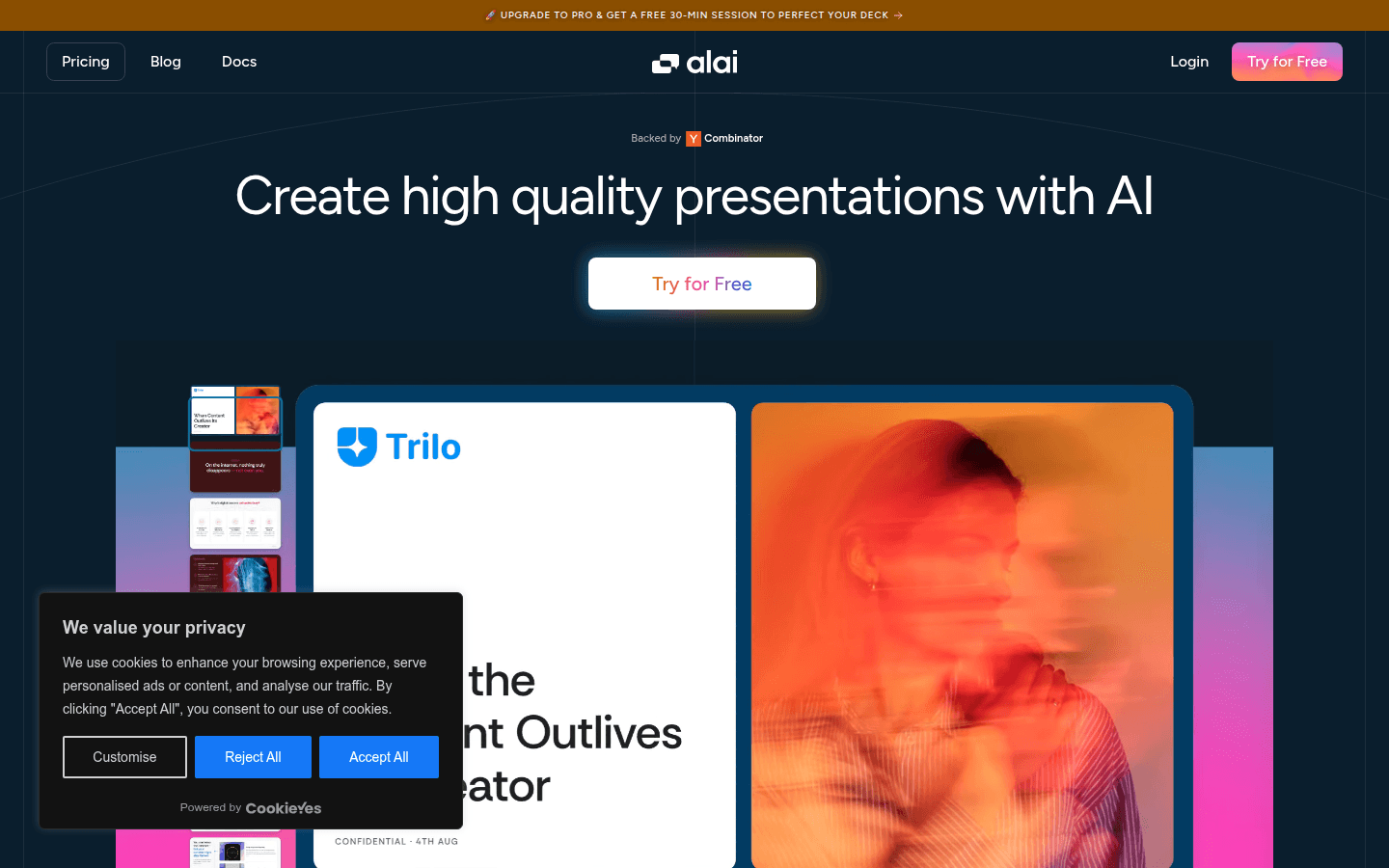
Alai is a presentation production system based on artificial intelligence technology. Its importance lies in providing users with efficient, convenient and professional presentation production solutions. The main advantages include: the ability to generate perfect slides, logic superior to other similar tools, AI well-trained to synthesize information well, professional design and excellent process, which can help users maintain the consistency of presentations without a designer. In terms of product background, it has received support from the well-known organization Combinator. In terms of price, a free trial is provided, and there is also an option to upgrade to the Pro version. Positioning is to meet the needs of different user groups to create high-quality presentations, whether in the early conceptualization stage or when there is a need to improve existing presentations.
Demand group:
["Early-stage entrepreneurial teams: For early-stage entrepreneurial teams without professional designers, Alai can help them quickly create consistent and professional presentations during the conceptualization stage, show the advantages and potential of the project, and attract investors and partners.", "Business people: Business people need to frequently create presentations for reporting and communication in their daily work. Alai 's efficient and professional performance helps them save time, improve presentation effects, and better convey information.", "ML engineers and AI developers: They can use Alai to present their research results and project progress. AI's powerful synthesis ability can accurately present complex technical content, making presentations clearer and easier to understand.", "Students and educators: When students are doing course reports and thesis defenses, and educators are preparing lessons and teaching presentations, they can use Alai to create beautiful presentations to enhance teaching and learning effects."]
Example of usage scenario:
Martin, CEO of Stratos, used Alai with the help of his team to improve the presentation and make it look even better, and is very pleased with the application.
Adam Hooper, founder of Shortloop, used Alai in the early conceptualization stages to keep presentations consistent without the need for a designer, and achieved great results in the first iteration.
Nirali Shah used Alai to create presentations, the AI synthesized the information well, the slides looked professional and smooth, and the design and flow were excellent.
Product features:
Utilize advanced AI technology to automatically design and optimize presentations, helping users quickly transform ideas into professional slides, saving a lot of time and energy.
AI can deeply synthesize the information input by users and accurately understand the key points of the content, thereby generating slides with clear logic and rich content.
Provides a variety of templates and design styles to meet the aesthetics and needs of different users, making presentations more personalized and attractive.
Ensure consistency in design and content throughout the presentation so that it delivers a unified, high-quality effect even without a professional designer.
Support users to flexibly edit and adjust the generated slides to facilitate personalized modification and improvement according to actual needs.
Provide users with free trial opportunities to fully experience the functions and advantages of the product before official use.
Upgrade to the Pro version to get a free 30-minute coaching course to help users further improve their presentations and improve their presentation effects.
Usage tutorial:
1. Visit Alai ’s official website.
2. Click the "Try for Free" button to register an account and log in to the system.
3. Enter the presentation production interface and enter the content information you want to display.
4. Choose the appropriate template and design style, or let AI automatically generate a design plan.
5. Preview and check the generated slides, and edit and adjust them as needed.
6. If you have further needs, you can consider upgrading to the Pro version and participate in a free 30-minute coaching course to improve your presentation.
7. After completing the production, save and export the presentation for subsequent display and sharing.