Wan 2.6 AI Video Generator
Create professional videos from text, images, or audio with Wan 2.6 AI Video Generator—free, fast, and high-quality.

English
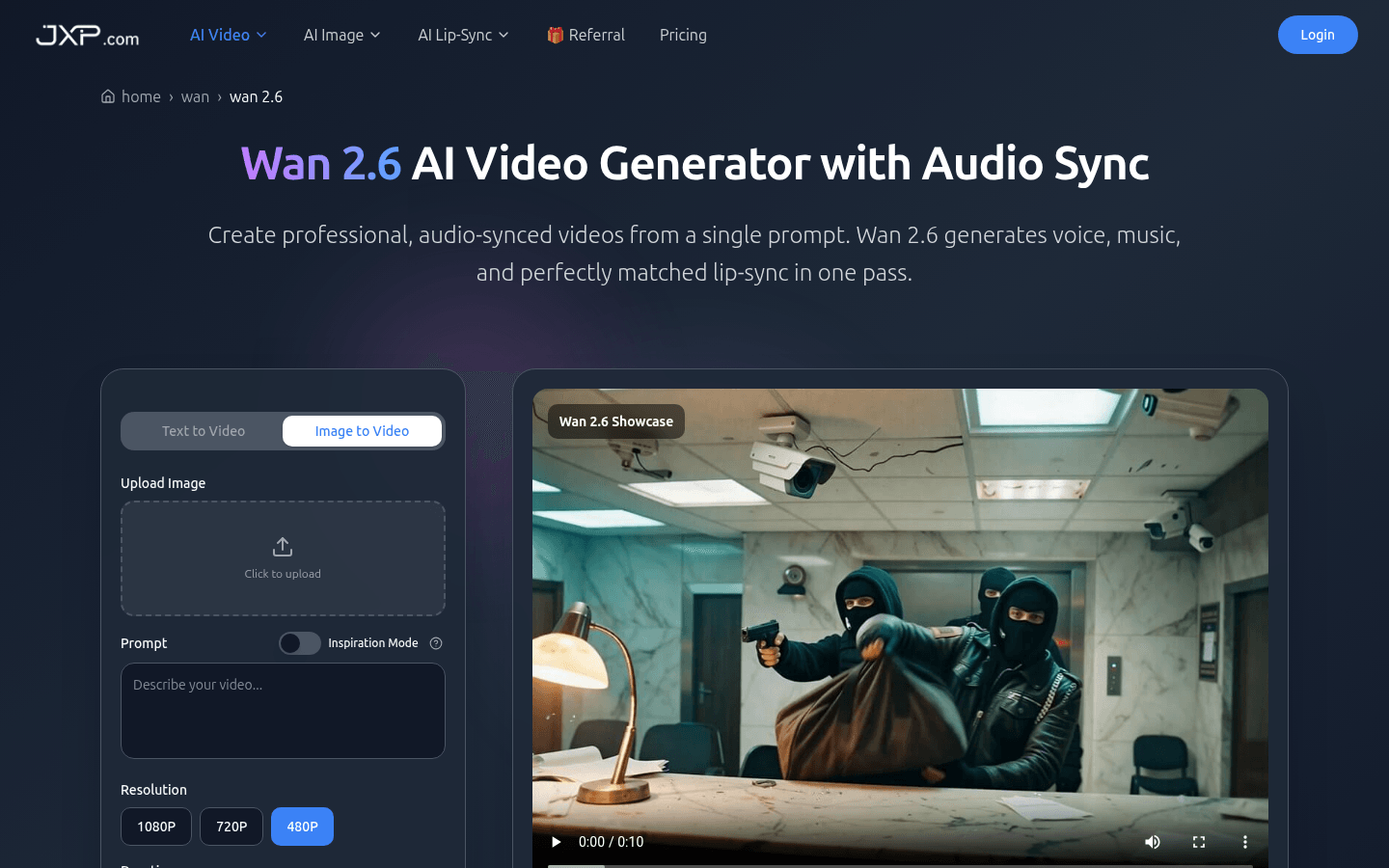
Wan 2.6 is a multi-modal AI platform launched by Alibaba that converts text, images, videos and audio into 1080p 24fps lip-sync videos and high-quality images. It is free and positioned to provide services to marketers, creators, educators, studios, etc. to simplify the creative workflow. Key benefits of the product include an advanced multi-modal engine, native audio-visual synchronization, precise multi-language lip sync, and more to produce professional and high-quality video content.
Demand group:
["- Marketers: Marketers need to create engaging video content to promote products or services. Wan 2.6 can quickly generate high-quality videos, saving production time and costs. Its multi-language support and precise lip synchronization capabilities can meet the needs of different regions and audiences, improving marketing effectiveness.", "- Creators: Independent creators can take advantage of Wan 2.6's multi-modal capabilities transform your creativity into video works. The advanced engine and rich input options allow creators to freely use their imaginations to create unique video content. Educators can use Wan 2.6 to create teaching videos and present complex knowledge to students in a vivid video format. The high quality and multi-language support of the video make it suitable for different teaching scenarios, improving teaching efficiency and students' learning interest. Game studios: Game studios need to produce promotional videos to promote new games. Wan 2.6's high-definition video output and precise lip synchronization can create attractive game promotional videos to attract more players. Brand companies can use Wan 2.6 to produce brand promotional videos, advertisements and other content. Its commercial use rights allow companies to use the generated videos in various commercial situations to enhance their brand image.
Example of usage scenario:
1. Marketers use Wan 2.6 to generate product introduction videos based on product features and promotional copy for social media promotion.
2. Educational institutions use Wan 2.6 to produce multi-language teaching videos and provide online course services.
3. The game company inputs the game screen and plot introduction, generates an attractive game promotion video, and publishes it on major platforms.
Product features:
- Advanced multimodal engine: Wan 2.6's advanced multimodal engine connects text, images, video and audio in a unified workflow. It not only understands natural language, but also recognizes visual references and audio track cues to ensure consistency in generated video scenes and characters, creating coherent and logical video content for users.
- HD video output: This product can generate 1080p resolution, 24fps video with smooth motion, clear details and movie-style lighting. Such high-quality output enables videos to be directly used on social media platforms such as YouTube, TikTok, and Reels, as well as in scenarios such as advertising and internal communications.
- Native audio visual synchronization: The built-in native audio visual synchronization function means that music, dialogue and sound effects can perfectly match every clip of the video, without the need for users to perform manual alignment or post-production repairs, greatly saving time and energy in video production.
- Precise multi-language lip synchronization: Wan 2.6 supports multiple languages and can achieve precise lip synchronization effects. In videos in different languages, the character's mouth shape and pronunciation time can be accurately matched, making the image of the commentator, host and spokesperson more realistic and improving the video viewing experience.
- Multi-format input support: It accepts text prompts, reference images, short source videos and audio tracks as input. Users can provide narration, music or sound effects, and the system will generate matching visual effects based on these inputs, giving full play to the user's creativity and imagination.
Usage tutorial:
1. Create an account: Visit the official website of Wan 2.6 and follow the prompts to create a new account.
2. Receive trial points: After successful registration, receive trial points to start using various functions of the product.
3. Open the Wan 2.6 dashboard: After logging in to your account, enter the Wan 2.6 dashboard interface.
4. Add your first prompt: Add text prompts, upload inputs such as reference images, short source videos or audio tracks on the dashboard.
5. Select mode: Choose the appropriate mode according to your needs, such as text to video, image to video, etc.
6. Set parameters: Set the video resolution (such as 1080P, 720P, 480P), duration (such as 5s, 10s) and other parameters.
7. Generate video: Click the "Generate Video" button, and the system will generate a video based on the input content and set parameters.
8. View and modify: After generating the video, view the video effect. If you are not satisfied, you can update the prompts and regenerate until the video reaches your ideal effect.